GlyphBook App
Be the first to reviewOn this page
Reviewed by
Ludis.app Team
Published
Apr 22, 2026
Updated
Apr 22, 2026
GlyphBook is a reference app for anyone curious about how humanity learned to write. It covers fifteen ancient and modern writing systems — from Sumerian cuneiform scratched into clay around 3400 BCE to Devanagari still in use today — all accessible without an internet connection or an account. Whether you're a student, a history enthusiast, or someone who just wants to see their name rendered in Egyptian hieroglyphs inside a cartouche frame, the depth here is genuine. Everything runs on-device, and nothing is locked behind a login.
App in Action
What GlyphBook Contains
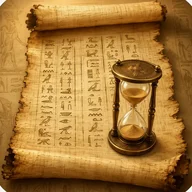
GlyphBook organizes its content around complete script profiles: each of the fifteen writing systems gets its own page covering origin, reading direction, character count, ancestor and descendant scripts, and a narrative tracing its evolution — including how it was deciphered if it was ever lost to history. The history timeline runs from Sumerian cuneiform through thirty named milestones, including the discovery of the Rosetta Stone and Champollion's eventual breakthrough with Egyptian hieroglyphics, all the way to the decipherment of Linear B in 1952.
Inside Each Script
The interactive alphabet chart for each script displays every character in a tappable grid. Tap any character and you get its transliteration, pronunciation, meaning, classification code, and related characters. Egyptian hieroglyphs follow Gardiner categories. Greek displays uppercase and lowercase pairs together. Japanese hiragana and katakana are arranged in the standard gojūon order. Chinese characters are organized by radical. The glyph decoder works across all supported scripts and accepts three input methods: browse by script, search by meaning, or scroll through the full symbol gallery of more than five hundred characters.
Name Transliteration and Script Comparison
Type your name in Latin characters, pick a target script, and the app maps each letter to its closest equivalent — character by character, with pronunciation notes and accuracy caveats. Egyptian results appear inside a traditional cartouche frame, and the output can be shared as text. The comparison tool puts any two scripts side by side, showing type, time period, direction, character count, ancestry, and descendants. When two scripts share a common ancestor, a family tree displays the lineage path between them.
Progress and Accessibility Gaps
A discovery journal logs which scripts you've explored, how many glyphs you've studied, and how many names you've transliterated. Seven achievements track your progress from the first decoded glyph through mastering all fifteen scripts. On the accessibility side, the app carries notable visual dependencies: touch targets in the symbol grid can be small, and the ornate decorative backgrounds — cosmic starry skies, golden Egyptian temple interiors — may interfere with screen readers. Users who rely on audio or alternative navigation will find meaningful gaps that the structured text labels and search functionality only partially address.
GlyphBook is most rewarding when treated as a reference you return to rather than a course you complete — the timeline and comparison tools reward curiosity more than any single session can exhaust.
App Technical Details
| Scripts covered | 15 |
| Symbol gallery size | 500+ characters across all scripts |
| History timeline milestones | 30 |
| Historical time span | 3400 BCE to present |
| Glyph decoder input methods | 3 (browse by script, search by meaning, symbol gallery) |
| Achievements | 7 |
| Data storage | On-device only, no account required |
| Offline support | Full offline functionality |
Discover GlyphBook Features
Which writing scripts does GlyphBook cover?
How does the name transliteration feature work?
What details does the glyph decoder show for each character?
Can I compare two different writing scripts in the app?
Does GlyphBook work offline and does it require an account?
Reviews
Log in to write a review