Sand Quill mi ha convinto a metà, e cercherò di spiegare perché. L'app è rivolta agli insegnanti di storia della scuola primaria — una nicchia precisa, e questo si vede. L'interfaccia con il tema papiro (tre varianti: giorno, tramonto, notte) è curata esteticamente, non è la solita app didattica grigia …
Sand Quill App
3.50 (2 reviews)On this page
Reviewed by
Ludis.app Team
Published
May 28, 2026
Updated
May 28, 2026
Sand Quill is a teaching organiser built specifically for primary-school history teachers, wrapping an entire classroom workflow into a single papyrus-themed workspace on iPhone. It covers the full arc of a teacher's day — from scheduling and student tracking to activity creation and professional reflection — without reaching for a second tool. The interface carries a deliberate calm, rendered in warm gold, amber, and cream tones that feel more like an archive than a dashboard.
Inside the App
What Sand Quill Does
Sand Quill organises the primary history classroom around four pillars: lesson planning, class management, activity building, and personal professional growth. Each area lives in its own tab and is designed to stay out of the way until it's needed.
Planning That Holds Together
Every lesson gets a dedicated card capturing topic, class, type, goals, materials, and homework. A structure builder breaks the lesson into timed blocks so planned minutes visibly match the set duration. Any lesson can be saved as a template and redeployed to a different class in a single tap. A schedule conflict detector flags overlapping times and repeated topics for the same class, while a quarterly hours counter tracks whether actual teaching time is meeting the programme target.
Students as Individuals
Classes are assigned colour codes, and each student gets a card with notes, perception style, and personalised differentiation strategies. Teachers can track grades by topic, log attendance, capture a three-emotion mood pulse after each lesson, and view each learner's strengths on a colour-coded map. The colour-coding system is extensive — which also surfaces a real limitation: the app relies heavily on colour for class identification and status indicators, with limited accommodation for colour-blind users noted in its own accessibility documentation.
Activity Lab: Eight Tools in One Place
- Test builder with single-choice, multiple-choice, and open questions, plus an auto-grader for paper tests
- Crossword generator from term and clue lists
- Roleplay scenario designer with named roles, motivations, goals, and conflicts
- Procedural map markup, matching games, timeline sketcher
- Library of historical figure cards and storytelling prompts
The Theme Runs Deep
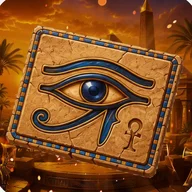
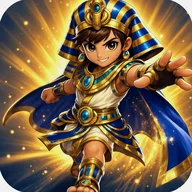
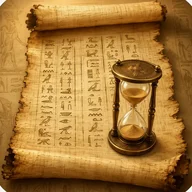
The papyrus aesthetic isn't a coat of paint — it shapes the entire experience. The app icon shows an aged scroll topped with a brass hourglass, and the onboarding imagery features a pharaoh holding an ornate hourglass above an open palm, swirling cosmic energy in amber and orange behind him. That same tension between ancient ritual and measured time runs through every screen: gold, deep orange, warm bronze, and a cream-to-beige background that makes the interface feel like a manuscript rather than software. It calls to mind the atmosphere of a slot machine steeped in Egyptian mythology — reels lined with hieroglyphics, Eye of Horus symbols, and winged sun disks — where each spin feels like uncovering a relic. Sand Quill carries that same layered, artifact-rich visual language, except here the "reels" are lesson cards and activity tiles, and the prize is a well-run class.
Sand Quill is one of the more considered subject-specific teaching apps available — it treats history as a discipline with its own rhythm, not just a generic lesson-planning shell with a themed wallpaper dropped on top.
App Technical Details
Target platform
iPhone (all screen sizes)
Data storage
On-device only, no cloud sync
Theme variants
3 papyrus theme modes: day, sunset, night
Navigation structure
4-tab bottom bar: Lessons, Classes, Activities, Academy
Activity types
8 types: tests, crosswords, roleplays, timelines, historical figures, map tasks, matching games, story prompts
Test question formats
Single-choice, multiple-choice, and open questions with auto-grader
Schedule conflict detector
Flags overlapping lesson times and repeated topics for the same class
Mood pulse tracking
3-emotion capture logged after each lesson
| Target platform | iPhone (all screen sizes) |
| Data storage | On-device only, no cloud sync |
| Theme variants | 3 papyrus theme modes: day, sunset, night |
| Navigation structure | 4-tab bottom bar: Lessons, Classes, Activities, Academy |
| Activity types | 8 types: tests, crosswords, roleplays, timelines, historical figures, map tasks, matching games, story prompts |
| Test question formats | Single-choice, multiple-choice, and open questions with auto-grader |
| Schedule conflict detector | Flags overlapping lesson times and repeated topics for the same class |
| Mood pulse tracking | 3-emotion capture logged after each lesson |
Sand Quill Explained
How do lesson templates work in Sand Quill?
You can save any lesson as a template and then drop it into a new class with a single tap. The structure builder, which breaks lessons into timed blocks, is preserved in the template so your planning effort is never wasted.
What types of activities can I create in the Activity Lab?
The Activity Lab lets you build tests with single-choice, multiple-choice and open questions (with an auto-grader for paper tests), generate crosswords from term and clue lists, design roleplay scenarios, mark up procedural maps, create matching games, sketch timelines, and build libraries of historical figure cards and storytelling prompts.
How does Sand Quill help me keep track of individual students?
For each student you can create a card with notes, perception style and personalised differentiation strategies. You can also track grades by topic, log attendance, capture a three-emotion mood pulse after each lesson, and visualise every learner's strengths on a colour-coded map.
Does Sand Quill store my data online or on my device?
All your work stays on your device. Sand Quill does not sync data to any external server or cloud service.
What appearance options does the app offer?
Sand Quill uses a papyrus theme that comes in three variants — day, sunset and night — to suit different lighting conditions in the classroom. The interface also adapts to all iPhone screen sizes.
Reviews (2)
View allLog in to write a review
Log in with Telegram
Sand Quill arrived on my phone at a moment when I was genuinely struggling to keep my lesson planning coherent across three different year groups, each with its own rhythms and demands; and so I came to it with real need rather than idle curiosity, which perhaps colours my assessment …