Zevs Wealths sits at an unexpected crossroads: a workout tracking tool built inside a Zeus-themed slot machine shell. The fitness side of the app is structured around three navigation tabs — Equipment, Sessions, and History — each clearly labeled and accessible from a persistent bottom bar on a dark blue gradient background.
Tracking Your Gym Work
The equipment catalog lets you add machines with descriptive labels showing both exercise type and target muscle group — for example, "lat pulldown · Strength · back." From there, you create named sessions with a date picker, a title field, and a free-text comment area for notes on energy or focus. Each session then accepts individual usage entries where you record the equipment used, the number of sets, the load (weight or resistance level), and any additional comments like "warm-up" or "last set to failure." The app retains this data so you can observe how your work capacity changes across sessions.
Interface and Visual Design
- Dark blue gradient backgrounds with white text and teal accents throughout the fitness screens
- Large touch targets and clearly labeled form fields with helpful placeholder text
- Empty states are handled gracefully — when a session has no equipment logged, a centered message reads: "Add the machines you used in this workout — we will remember sets, load, and comments."
- Consistent navigation patterns and good use of visual hierarchy across all workout screens
Where Lightning Meets the Reels
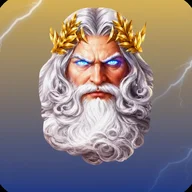
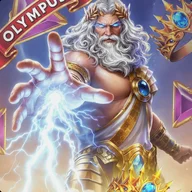
The slot machine portion of the app carries the Zeus theme hard: a muscular bearded figure in golden armor and a laurel crown dominates the loading screen, set against an orange and yellow lightning storm. The game itself runs on a 5×4 reel grid with symbols including crowns, hammers, goblets, and colored gems in golden frames, all set against a classical Greek temple with purple and blue electrical effects crackling in the background. Multiplier badges — reaching up to 1000x — appear as red circular badges with golden wings and yellow numerals overlaid directly on the grid. The visual intensity here mirrors that sense of high-stakes accumulation, not unlike watching a loaded barbell climb plate by plate.
The lightning animations are flagged as a significant photosensitivity concern — rapid flashing effects run throughout the gaming screens with no documented option to reduce or disable them, which is a real gap for an app otherwise thoughtful about contrast and labeling.
Accessibility Considerations
- The fitness screens score well: high contrast, large interactive areas, and clear text labels
- The gaming screens introduce yellow text on red backgrounds, which may present contrast problems for some color-blind users
- Game symbols do use distinct shapes — crown, hammer, goblet, gem — alongside color, which helps
- The date picker relies on precise swipe gestures with no documented alternative input method