Gra Tower Crush trafiła na mój ekran niemal przez przypadek — szukałam czegoś z fabułą, z jakimś sensem narracyjnym, a nie kolejnego bezrefleksyjnego klikacza. I trzeba przyznać, że warstwa fabularna robi pewne wrażenie: jest zniszczone miasto, jest Król Śmierci jako antagonista, jest dzielny książę, który przemierza ruiny. Ilustrowane sceny z …
Tower Crush App
3.00 (3 reviews)On this page
Reviewed by
Ludis.app Team
Published
Apr 30, 2026
Updated
Apr 30, 2026
Tower Crush is a physics-based puzzle game for mobile where players use a touch-controlled crane to stack and place blocks onto multi-level building structures. It's built for anyone who enjoys spatial thinking and hands-on building challenges with a time-pressure edge. The game spans multiple levels — each with its own structural target — wrapped in a vivid, animated cityscape environment. Updated as recently as April 2026, it remains an actively maintained experience on Android.
Screens in Detail
How the Game Works
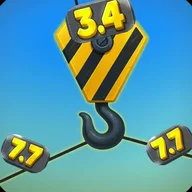
Tower Crush puts a yellow-and-black striped crane hook in your hands and asks a deceptively simple question: can you place the right block, at the right weight, in exactly the right spot? The core loop is touch-based — you drag and swing the crane to lower blocks onto green wooden structures with multiple window compartments, guided at every moment by gray metallic weight badges displaying live values in bright yellow numbers.
What You're Actually Playing
The game is a physics-based tower building puzzle viewed from a 3D isometric perspective. Each level presents a target building — sometimes a compact green structure, sometimes a towering multi-story frame — and a set of blocks with distinct weights. Precision matters: the physics engine responds to where and how you place each piece. A separate timed challenge mode adds a countdown overlay, pushing you to think and act faster under real pressure.
- Touch-and-drag crane control as the primary input method
- Multiple building types across levels — green wood, red brick, log structures
- Weight indicators on every active block, displayed in real time
- An inventory screen for managing crane equipment between runs
- A level select screen with circular previews set against a blue city skyline
Look and Feel
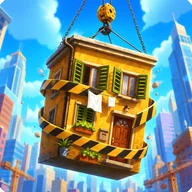
Visually, Tower Crush is bright and busy. The background is a vivid blue gradient sky dotted with white clouds and animated sparkle effects. Buildings are rendered with textured materials — green wood, red brick with arched magenta window frames, brown cylindrical logs — layered against a multi-depth cityscape silhouette that fades atmospherically into the distance. The title screen renders "TOWER" in bold orange-yellow 3D letters, with "STONE RUSH" in blue beneath it. It's a lot going on at once, and deliberately so.
Where It Falls Short
The accessibility picture is a genuine concern. There are no text labels on interactive elements, weight values appear in small numerals that may be hard to read, and the game provides only visual feedback for physics interactions — no audio cues accompany block placement or structural collapse. The reddish-brown navigation buttons may also pose problems for players with red-green color blindness. Fine motor control is a hard requirement for the crane mechanics, and timed modes currently offer no pause option.
For a game built around split-second spatial judgment, the absence of any motion reduction settings or alternative control schemes feels like a significant gap — one that limits who can comfortably play it.
A Kindred Spirit in the Ruins
There's an interesting resonance here with Lost City Tower, a story-driven adventure set in a city razed by the Death King — where a prince navigates ruins, meets survivors, and makes choices that shape relationships and the path forward. Both games are built around the same underlying tension: a tower standing against collapse, and the precision required to keep it upright. In Lost City Tower, that fragility is narrative — your decisions determine whether the city's fate shifts. In Tower Crush, it's physical — a misplaced block and the whole structure gives way. Different genres, same fundamental stakes.
Game Details
Developer
Joseph Ngure Mwangi
Last Updated
Apr 10, 2026
Platform
Mobile
Genre
Puzzle / Building Game
Core Mechanic
Physics-based tower building with crane controls
Primary Interaction
Touch-based crane control and block placement
Gameplay Modes
Standard and timed challenge modes
Inventory System
2×2 grid item inventory
| Developer | Joseph Ngure Mwangi |
| Last Updated | Apr 10, 2026 |
| Platform | Mobile |
| Genre | Puzzle / Building Game |
| Core Mechanic | Physics-based tower building with crane controls |
| Primary Interaction | Touch-based crane control and block placement |
| Gameplay Modes | Standard and timed challenge modes |
| Inventory System | 2×2 grid item inventory |
Tower Crush Help
How do I control the crane during gameplay?
The crane is operated through touch-based controls on your screen. You use drag gestures to maneuver the yellow and black striped crane hook in order to pick up and place blocks onto the target building structure.
What do the weight numbers displayed on blocks mean?
Each block in play has a weight indicator shown as a number on a gray metallic badge — for example, values like 2.2 or 7.7. These weight values are critical to the physics of the game and affect how blocks interact when placed on the structure.
Are there timed challenges in Tower Crush?
Yes, some gameplay scenarios include a timer element visible on screen during play. Precision and focus are required to complete challenges within the given time constraints.
How does the level selection work?
The level select screen displays multiple levels as circular previews, each showing a different building type such as green wooden structures, brown log buildings, or red brick constructions. You can browse and choose your level from this interface before starting a challenge.
Is there an inventory system in the game?
Yes, Tower Crush features an inventory screen where you can view items you have collected. Items are displayed in a grid of slots, and you can navigate between pages using directional arrows within the inventory interface.
Reviews (3)
View allLog in to write a review
Log in with Telegram
so i picked this up last night because my nephew kept going on about it, and i have to say... it's a bit of a mixed bag for me. the story side of things is genuinely charming — there's this whole thing with a prince and a ruined city and …
8 replies
tara_downloads: the 'Death King' which sounds dramatic but actually draws you in if you give it a chance
the death king thing got me too. sounded cheesy but its actually kind of cool. the story bits are the best part honestly 🏰
tara_downloads: the skill challenges in between the story bits are HARD
Skill challenges are the POINT. Story wrapping is thin. Precision gameplay carries it.
GrumpyTechDesk: Precision gameplay carries it
Agree on the difficulty spike. No gradual ramp-up. Pixel-3a here, no crashes at least. But the challenge gap between early and mid sections is steep.
Spędziłem z Tower Crush jakieś dobre kilka godzin na moim Xiaomi 13T Pro z Androidem 14 i chcę podzielić się wrażeniami, bo widzę że recenzji jest tu jak na lekarstwo, a gra jest na tyle specyficzna że zasługuje na rzetelny opis. Zacznę od koncepcji: mamy tu sterowanie żurawiem, układanie bloków …
8 replies
piotrek_2fast: brak jakiegokolwiek tutorial mode — wrzucają cię od razu w gameplay bez żadnego wprowadzenia
Brak tutoriala to NAJWIĘKSZY problem tej gry. Pierwszy poziom i już nie wiem co robię. Zero wyjaśnienia zasad.
niezadowolony_Paweł: Brak tutoriala to NAJWIĘKSZY problem
Gram od jakichś dwóch tygodni i mam mieszane uczucia. Ta mechanika z wagą bloków brzmi jak ciekawy pomysł — ale czy ktokolwiek siedział i zastanawiał się, czy te wartości liczbowe w ogóle mają sens w kontekście fizyki gry? Bo ja przez jakieś pierwsze pięć poziomów w ogóle nie rozumiałam, jak waga wpływa na to, czy budynek się wywróci czy nie. Nie ma żadnego wyjaśnienia, nie ma paska pomocy, nic. I teraz pytanie: czy to jest celowy design żeby gracz sam odkrywał zasady, czy po prostu nikt nie pomyślał o nowych graczach?
Magda_testuje: czy ktokolwiek siedział i zastanawiał się, czy te wartości liczbowe w ogóle mają sens
no ja tam ogarnalem po kilku próbach... spoko gierka, te żurawie to fajny pomysł i git