At the heart of Tower HighRush is a moving indicator that travels across the screen while you watch and wait. Your only job is to tap when the marker lands inside the green zone — but that straightforward task becomes a real test of focus the longer a run goes on. A successful tap adds a new block to the top of your tower, and your score grows with every floor you add. Miss the zone, and the structure takes damage. Miss repeatedly, and the whole thing comes down.
How the Building Mechanic Works
The loop is tight and continuous: indicator moves, you tap, block lands (or doesn't), repeat. There's no complex menu navigation mid-run — just you and the rhythm you're trying to maintain. The game tracks your personal best, so each session has a clear target to chase. Bonus multipliers, including x2 and x10 indicators, appear during play and can push your score significantly higher when your timing is on point.
- One-tap controls — no virtual joystick or multi-button input
- Score determined entirely by tower height reached
- Mistakes cause structural damage before eventual collapse
- Personal best tracking across sessions
- Level counter visible in the top-right during active play
Visuals and Presentation
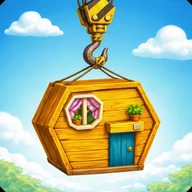
The game uses a 3D cartoon art style with a cheerful construction site theme. Buildings rendered in orange, red brick, and brown log-cabin styles get hoisted into position by a yellow crane with chains and a pulley system — all set against a bright blue sky scattered with golden coins and sparkle effects. The color palette stays consistent across every screen: blue, golden yellow, and red appear in both the gameplay UI and the leaderboard, which shows ranked player names and scores on dark blue bars.
The visual presentation is polished and cohesive for a game of this scope, though players looking for variety in environments or block types may find the single construction theme grows familiar quickly.
A Familiar Tension, Executed Cleanly
If you've ever played a stacker or timing-based arcade game and felt that specific frustration of a near-perfect run ending on one bad tap, Tower HighRush operates in exactly that space. The tension between a smooth rhythm and a single mistimed press is what keeps runs feeling meaningful — and what makes the leaderboard, with names like BrickPhantom at 58 and CloudStacker at 56, feel worth competing against.
Interface and Accessibility
The in-game UI is minimal: a yellow top bar holds a standard pause button on the left and the level number on the right. Touch targets are large, text throughout uses high contrast — white on red, black on yellow — and the overall layout keeps all key information visible without clutter. The back button on the leaderboard screen is a prominent red button that's hard to miss.