the 'adjust conditions' screen is genuinely one of the nicest things i've tapped through in a while... like the way the tide state and water movement options are laid out with those little icons — down arrow for low, up arrow for high — it just makes sense instantly, you …
Wolf Golds App
3.33 (3 reviews)On this page
Reviewed by
Ludis.app Team
Published
Apr 29, 2026
Updated
Apr 29, 2026
Wolf Golds is an offline fishing tactics reference built for anglers who want to study inlet conditions without distractions, data connections, or sensor dependencies. The app is aimed at anyone serious about reading tidal movement, water structure, and bait selection before stepping onto the water. It runs entirely on-device using a clean Flutter interface, presenting everything through large, easy-to-navigate cards organized by condition type. Whether you're preparing at home or consulting it from a remote location, the experience stays consistent and self-contained.
App Screens
What's Inside
Wolf Golds centers on a single, focused problem: understanding how inlet conditions shape fishing approaches. The app presents tactics organized by tide state — Low, Mid, and High — combined with water movement settings that range from Still through to Fast. Each combination surfaces a curated set of tactic cards, covering scenarios such as Channel Edge Drop-off, Rock Pile Ambush, and Bridge Piling Current, each tagged by difficulty level and the specific conditions that trigger them.
Inside the Tactics System
Each tactic card drills down into practical detail. The Channel Edge Drop-off entry, for example, includes a water-depth diagram that visually contrasts the deeper channel against shallow surrounding flats, followed by structured sections covering When to Use, Setup Tips, and Common Mistakes. Setup guidance is specific: live bait suspended two to three feet below the surface, casts run parallel to the drop-off edge, with a steady retrieve or slow drift. The Adjust screen lets users set Tide State, Water Movement, and Bait Style — Live, Cut, Artificial, or Bottom — before browsing filtered results.
Interface and Accessibility
The app is built in Flutter and uses a minimalist blue-and-white layout with clear, standard fonts and well-sized touch targets throughout. Color coding distinguishes difficulty badges and condition tags, though these rely on color alone — there are no secondary shape or text indicators for users with color vision differences. Navigation is handled by a three-tab bar: Tactics, Adjust, and Information. The information hierarchy is clean and screen-reader friendly, with a logical heading structure across all card-based screens.
A Visual Counterpart Worth Noting
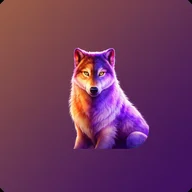
The name Wolf Golds also belongs to a slot machine game with a strikingly different personality — a cosmic desert scene rendered in deep purples and warm oranges, featuring a split-color wolf with golden eyes set against a starry canyon sky. Where the fishing app strips everything back to calm, structured logic, that game leans into spectacle: spinning jackpot wheels, MAJOR and MEGA prize tiers, and reels loaded with eagle symbols and playing card icons. The two share only a name and a wolf — but the contrast makes each version of the identity feel sharper by comparison.
The reliance on color alone to communicate difficulty levels and condition tags is a real gap — anglers with color vision differences will find the tag system harder to parse than it needs to be.
Because the app requires no internet access and uses no device sensors, it functions identically whether you're on a dock with full signal or deep in a marsh with none. All content is deterministic and pre-loaded, meaning the tactic cards and diagrams you see at home are exactly what you'll find in the field.
App Technical Details
Developer
TOV VIREVEYT
Last Updated
Mar 29, 2026
Internet Connection Required
No — fully offline
Sensor Requirements
None
UI Framework
Flutter
Navigation Sections
3 tabs: Tactics, Adjust, Information
Adjustable Condition Parameters
3 — Tide State (Low / Mid / High), Water Movement (Still / Slow / Moderate / Fast), Bait Style (Live / Cut / Artificial / Bottom)
Tactic Difficulty Levels
Medium, High
| Developer | TOV VIREVEYT |
| Last Updated | Mar 29, 2026 |
| Internet Connection Required | No — fully offline |
| Sensor Requirements | None |
| UI Framework | Flutter |
| Navigation Sections | 3 tabs: Tactics, Adjust, Information |
| Adjustable Condition Parameters | 3 — Tide State (Low / Mid / High), Water Movement (Still / Slow / Moderate / Fast), Bait Style (Live / Cut / Artificial / Bottom) |
| Tactic Difficulty Levels | Medium, High |
Angler Questions Answered
Does Wolf Golds require an internet connection or GPS to work?
No, the app is entirely offline and requires no internet access or sensors of any kind. It is fully self-contained, so you can rely on it even in the most remote fishing locations.
How do I adjust the app to match my current fishing conditions?
Open the Adjust tab and set your Tide State (Low, Mid, or High), Water Movement (Still, Slow, Moderate, or Fast), and Bait Style (Live, Cut, Artificial, or Bottom). The app uses these selections to surface inlet tactics relevant to your current situation.
What kinds of inlet tactics are included in the app?
The app includes tactics such as Channel Edge Drop-off, Rock Pile Ambush, and Bridge Piling Current. Each tactic card displays a difficulty level, a short description, and tags indicating the recommended tide condition and structure type.
What information is shown on a tactic's detail screen?
Each detail screen includes a visual water depth diagram, a When to Use section explaining optimal conditions, Setup Tips with specific casting and rigging guidance, and a Common Mistakes section. This structured layout helps you understand every aspect of the tactic before heading out.
Is the app suitable for anglers who are new to reading inlet structure?
Yes, the app is designed for calm, structured learning with a minimalist card-based interface, clear explanations, and visual diagrams. Tactics are also labeled by difficulty level, allowing less experienced anglers to start with more approachable techniques and progress from there.
Reviews (3)
View allLog in to write a review
Log in with Telegram
Card layout loads fast. Offline works as advertised. Tide state filters do what they say — switch between Low/Mid/High, results update instantly. No lag on Pixel 7 Pro, Android 14. The diagram on the channel drop-off screen is actually useful. But bait style section has a bug: selecting 'Artificial' sometimes …
Okay so I genuinely wasn't expecting much from Wolf Golds at first, because the name made me think it was going to be some flashy thing with a million animations and no real substance, but honestly it's kind of a pleasant surprise in the most low-key way, and I want …
7 replies
pixelRonan: offline functionality is a genuine selling point for me personally
Tried it on a recent Android build. Zero crashes — good sign. The Adjust screen is functional. Wish the filter options had a reset-all button — takes too many taps to clear. Offline confirmed solid.
pixelRonan: I do wish there were more structure types covered
I have been using Wolf Golds for several weeks now, and I feel compelled to offer a somewhat different perspective. When I first downloaded it, the app presented a noticeably richer set of tactics cards than it appears to offer today; I recall working through entries that covered a broader range of structure types, including some material on bridge piling approaches that felt genuinely thorough. The current version seems to have consolidated or trimmed some of that content, and I confess I find the reduction disappointing. The interface itself is beyond reproach — the card layout is orderly, the typography is sensible, and the diagrams that do exist are well-considered; I particularly appreciated the depth visualization on the Channel Edge Drop-off card, which communicates the concept clearly without condescension. My concern is simply that the content has not kept pace with the polish of the presentation. An application can have the most elegant shell imaginable, but if the substance inside it stops growing, one eventually exhausts what it has to teach. I do hope the developer revisits the tactics library and expands it; the framework is genuinely excellent and deserves more material to fill it.
MargaretV_1961: the content has not kept pace with the polish of the presentation
Decent app for what it is, but I keep coming back to the content question. Used to feel like each update added a tactic or two, now it's been quiet for a while. The free version gives you a solid taste but the full library is where the value sits, and I'm weighing whether that's worth it compared to just bookmarking a few fishing forums. Anyone else comparing it to other offline tactic tools and finding something that updates more regularly?