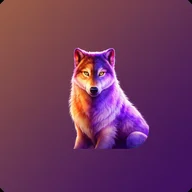
Alors, j'ai passé quelques semaines avec Lunar Paw et je pense avoir maintenant une idée assez claire de ce que cette application vaut vraiment, tant en termes de contenu que de conception. Ce qui m'a d'abord frappée, c'est l'esthétique. Le thème loups et aurores boréales est vraiment soigné, l'interface est …

Lunar Paw App
3.50 (2 reviews)On this page
Reviewed by
Ludis.app Team
Published
May 15, 2026
Updated
May 15, 2026
Lunar Paw is a dog training companion for iOS built around a dark, mystical aesthetic — deep blues, northern lights, and wolf imagery give it a look unlike any other pet app on the market. It's aimed at dog owners of all experience levels, from someone bringing home their first puppy to someone looking to sharpen a rescue's leash manners. Inside you'll find a structured training library, a customizable dog profile, a walk checklist, and daily task reminders, all wrapped in a consistent visual theme that makes the app genuinely pleasant to open.
Inside the App
How It Works
Lunar Paw organizes dog training into four main areas accessible from the home dashboard: a dog profile section, a commands library covering 16 commands, a tips section across 6 topics, and a walk checklist. The dashboard also surfaces a daily task — such as "Play Dead" — with a one-tap shortcut to view full instructions or pull up a random command instead. It's a small detail, but it nudges consistent practice without feeling like a chore tracker.
What the training content covers
- Foundational commands including Sit, Come, Stay, and Heel, each broken into numbered steps
- Advanced tricks and leash manners building on those basics
- Per-command notes on common mistakes and practical reward tips
- Behavior, socialization, and daily routine advice across 6 tip topics
- An editable walk checklist to keep pre-outing prep consistent
Dog profile and progress tracking
Each dog gets its own profile storing breed, age, weight, personality traits, and free-form behavior notes. A "Mastered" counter tracks how many commands a dog has completed, and a Training History section logs past sessions. You can manage multiple dogs, with clear options to add or delete profiles. Settings allow separate reminders for training (default 10:00) and walks (default 18:00), with toggles for notification sound as well.
Where the atmosphere goes deeper
The app's wolf-and-northern-lights visual language isn't just decoration — it runs through every screen, from the glowing blue paw print icon to the aurora-lit onboarding illustrations and the photorealistic wolf portrait on the main interface. That same mood surfaces in Mythic Wolf, a slot game embedded within the app. Its 5×3 reel grid, icy crystal lettering, dark forest silhouettes, and aurora sky draw directly from the same arctic aesthetic. The two experiences share a visual DNA: if the training app's atmosphere appeals to you, the game's art direction will feel immediately familiar.
A note on the design
The dark theme is cohesive and well-executed, but the app currently lacks a high-contrast mode option — something worth noting for users who find low-luminance interfaces harder to read. The heavy use of complex wolf and nature imagery throughout also means screen reader users would benefit from more comprehensive alt text than what appears to be in place at present.
App Features Overview
Basic Commands Library
16 commands
Advice Topics
6 topics
Main Navigation Sections
4 (Dog Profile, Commands, Tips, Walk Checklist)
Dog Profile Fields
Name, breed, age, weight, personality traits, behavior notes, training history
Scheduled Reminders
Training reminder and Walk reminder with configurable times
Daily Task Feature
One command highlighted per day with random selection option
Notification Sound
Toggleable on/off in Settings
Data Management
Clear All Data option available in Settings
| Basic Commands Library | 16 commands |
| Advice Topics | 6 topics |
| Main Navigation Sections | 4 (Dog Profile, Commands, Tips, Walk Checklist) |
| Dog Profile Fields | Name, breed, age, weight, personality traits, behavior notes, training history |
| Scheduled Reminders | Training reminder and Walk reminder with configurable times |
| Daily Task Feature | One command highlighted per day with random selection option |
| Notification Sound | Toggleable on/off in Settings |
| Data Management | Clear All Data option available in Settings |
About Lunar Paw
What information can I store in my dog's profile?
You can record your dog's name, breed, age, weight, personality traits, and behavior notes all in one place. The profile also tracks a training history so you can see which commands your dog has mastered over time.
How many training commands and topics does Lunar Paw cover?
The app includes 16 basic commands such as Sit, Come, Stay, and Heel, plus a Tricks section with 6 topics. Each command comes with step-by-step instructions, explanations of common mistakes, and practical reward tips.
Can I set reminders to stay consistent with training and walks?
Yes, the Settings screen lets you enable a Training Reminder and a Walk Reminder, each with a customizable time. You can also toggle notification sounds on or off to suit your preferences.
How does Lunar Paw help me keep track of my progress?
Your dog's profile displays a Mastered counter showing how many commands have been completed, alongside a full Training History section. The main dashboard also highlights a daily task each day to keep your sessions focused and consistent.
Can I add more than one dog to the app?
Yes, Lunar Paw supports multiple dogs. From the Dog Profile screen you can tap Add New Dog to create a separate profile for each of your pets, each with its own details and training history.
Reviews (2)
View allLog in to write a review
Log in with Telegram
Geçen hafta köpeğimi daha düzenli eğitmeye karar verdim ve Lunar Paw'ı denemeye başladım inan bana çok memnun kaldım gerçekten. Uygulamayı açar açmaz karşına çıkan o kuzey ışıkları temalı tasarım insanı hemen içine çekiyor, görsel olarak gerçekten çok şık. Köpek profili oluşturmak çok kolaydı, ırkını yaşını kilosunu falan ekleyebildim hepsini bir …