Aplikacja się zacięła w połowie kręcenia kołem. Napisałem do supportu — CISZA. Żadnej odpowiedzi. Minął tydzień. Prosta sprawa, prosta apka, a obsługa klienta leży. Nie rozumiem jak można tego tak zaniedbać.
Viking Adventure App
1.50 (2 reviews)On this page
Reviewed by
Ludis.app Team
Published
May 20, 2026
Updated
May 20, 2026
Viking Adventure is a decision-making utility dressed in bold Norse imagery — a spinning wheel at its core, a cartoon Viking warrior as its mascot. It's aimed at anyone who finds themselves stuck between options, whether that's choosing a task to tackle first or simply figuring out what to have for dinner. The app wraps a genuinely simple concept in colorful, game-style visuals and keeps the whole experience to just a few taps.
Screens & Style
What's Inside
At its heart, Viking Adventure is a random-selection tool. You type in a list of options — tasks, choices, ideas — and the app spins a divided wheel to land on one for you. The onboarding screen lays it out in three numbered steps: add your options, spin the wheel, let the universe decide. That's the entire loop, and it works for work, study, leisure, or any situation where decisiveness is proving elusive.
How It Actually Works
The main input screen shows a text field with an "Add an option..." placeholder and a purple plus button alongside it. Options are added one by one, and the large SPIN button at the bottom stays disabled until at least one entry exists — it even shows a running count in its label. Once you spin, the wheel divides into colored sections, one per option, and a white triangular pointer at the top marks the result. The outcome screen then announces "The Universe selected:" above your chosen option in large text, with buttons to spin again or go back and edit the list. A History link in the header lets you revisit past decisions.
Visuals and Theme
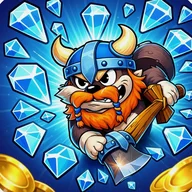
The interface runs on a dark grey and black base with purple as the primary accent — inputs, buttons, and text highlights all follow this palette. Layered on top is a cartoon Viking character: orange braided beard, blue horned helmet, brown tunic, and an expression that shifts between determined and jubilant depending on the screen. Reward-style screens show him surrounded by floating blue diamond gems and gold coins, with radial burst effects and golden lighting. A loading screen paints a full scenic Nordic fjord — rocky cliffs, a longship with a dragon-head prow, wooden settlement buildings near the water. The art style is squarely in casual-game territory.
Where It Falls Short
The accessibility picture is genuinely uneven. The app currently appears to fall below WCAG AA standards across several dimensions. Color coding drives most of the interface — blue diamonds, purple buttons, distinctly colored wheel sections — with no pattern or shape alternatives for color-blind users. The spinning wheel animation has no reduced-motion option, which is a real concern for users with vestibular sensitivity. Screen reader support is sparse: wheel sections lack individual labels, loading states give no progress indication, and the heavy visual feedback on reward screens has no audio equivalent.
The core mechanic is genuinely useful and the three-step flow is hard to misunderstand — but the gap between the polished visual presentation and the accessibility groundwork is wide enough to matter for a meaningful portion of users.
A Familiar Kind of Spin
The multiplier screens — where values like 1.7x, 4.7x, 9.2x float on blue diamond-shaped badges around the Viking character — carry the same energy as the spinning reels and scatter symbols you'd find in Norse-themed slot games. The glowing gems, overflowing coin barrels, and four-leaf clover bonus symbol all speak the same visual language: bright, reward-coded, built to feel like something good just happened. It's an unusual wardrobe for a to-do randomizer, but it does make the act of delegating a choice feel more like an event than a chore.
App Technical Details
App Type
PWA / Mobile Application
Category
Utility / Decision Making Tool
Developer
Sky Legend Gaming Limited
Last Updated
Apr 10, 2026
Selection Mechanism
Spinning wheel divided into color-coded sections, triggered via a dedicated SPIN button
Option Management
Users manually enter custom options via text input field; spin button activates only after options are added
Result & History
Displays selected option on a dedicated result screen; includes History section for reviewing past decisions
Interface Design
Minimalist dark-theme UI with cartoon Viking mascot and animated visual effects
| App Type | PWA / Mobile Application |
| Category | Utility / Decision Making Tool |
| Developer | Sky Legend Gaming Limited |
| Last Updated | Apr 10, 2026 |
| Selection Mechanism | Spinning wheel divided into color-coded sections, triggered via a dedicated SPIN button |
| Option Management | Users manually enter custom options via text input field; spin button activates only after options are added |
| Result & History | Displays selected option on a dedicated result screen; includes History section for reviewing past decisions |
| Interface Design | Minimalist dark-theme UI with cartoon Viking mascot and animated visual effects |
Common App Questions
How do I get a random decision in Viking Adventure?
Simply type your options into the input field on the main screen and tap the plus button to add each one. Once your list is ready, press the SPIN button to spin the wheel and let the app randomly pick one of your options for you.
What kinds of situations is Viking Adventure suitable for?
Viking Adventure is designed for any scenario where you struggle to make a quick choice — from work tasks and study priorities to leisure plans and everyday life decisions. It's especially helpful when you're unsure where to start or want to avoid overthinking.
Can I view decisions the app has made for me in the past?
Yes, the app includes a History section accessible directly from the main screen. It lets you look back at choices that were previously selected by the wheel.
How is the chosen option shown after the wheel stops?
After the wheel lands on an option, a dedicated result screen appears displaying 'The Universe selected:' followed by the chosen item in large, prominent text. You can then tap 'Spin Again' to spin with the same options or go 'Back to Options' to edit your list.
Is there a minimum number of options I need to add before I can spin?
The SPIN button stays disabled until you have added at least one option to your list. The button also dynamically shows the current option count, so you always know how many choices are queued up before spinning.
Reviews (2)
View allLog in to write a review
Log in with Telegram
Rad dreht sich... okay. Aber WARUM ist das Ding so träge? Tippe eine Option ein, klicke Plus – manchmal reagiert nix. Dann doch. Dann wieder nicht. Die Bedienung ist zäh. Für eine simple Entscheidungs-App brauche ich keine Ladezeit. Keine Ahnung was da im Hintergrund läuft. Design ist clean, das gebe …