Tower Rush Sky drops you into the role of an amateur urban architect with one job: keep stacking. A block descends from a crane above, and a single tap decides where it lands. Nail the center and your tower grows clean and straight; drift too far and the structure wobbles, making every subsequent drop harder to control. Your score is simply the height you reach before the whole thing comes down.
What you're actually building with
- Block variety: Materials rotate between classic brick, wooden crates, concrete slabs, and other textured segments — each rendered in vibrant 3D.
- Backdrops: Scenes shift from a bright coastal setting with Mediterranean-style buildings and palm trees to a dramatic orange-red city skyline at sunset, with silhouetted skyscrapers and construction cranes framing the action.
- Scoring: The game tracks your current height alongside your personal best, shown live at the top of the screen — Height: 7, Best: 7 in one captured session.
- Navigation: A clean three-button main menu (Play, Rules, Settings) keeps things uncluttered; a numbered rules screen spells out the five-step mechanic in white text on dark panels.
The tension of a single tap
There is a particular kind of pressure that comes from watching something fall and knowing you have exactly one moment to act — the same suspended breath you feel in any stacking or timing game where precision accumulates into either a near-perfect run or a sudden collapse. Tower Rush Sky lives entirely in that moment. The crane swings, the block descends, and the city below keeps growing or stays frozen depending on whether your nerve holds. Orange excavators idle in the corner of the screen; blueprints glow faintly at the edge of the frame. The whole atmosphere is one of a construction site mid-shift, waiting on you.
Honest limitations worth knowing
The visual environment is genuinely busy. Multiple overlapping 3D elements, vibrant color gradients, and a block in constant motion against a detailed background can make tracking the drop more taxing than it sounds — especially on smaller screens. Text readability on the busier backdrops is noted as poor in the accessibility analysis, with low contrast in places. Motor accessibility is also a real concern: the mechanic is entirely timing-dependent, and there are no documented options to slow the pace or enlarge tap targets.
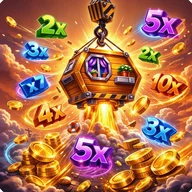
One screenshot also surfaces a results panel with cashout amounts and multipliers alongside the core stacking game — a combination that sits uneasily with the otherwise casual arcade presentation and may warrant scrutiny depending on your region's app regulations.
The visual package
- Golden 3D logo lettering with stone texture on the title screen
- Yellow construction cranes active in multiple scenes
- Character art featuring a woman in a yellow hard hat holding a golden trophy
- Consistent warm orange-red color palette across menus and gameplay screens