Sky Build puts three spinning slots in front of you and asks one simple question: can you stop them all on the same symbol before time runs out? The slots cycle through icons continuously, and tapping one locks its current symbol in place. The catch — unlocking a slot costs you 2 seconds, a penalty that adds genuine tension to every decision.
How the Core Loop Works
- Tap a slot to lock its current symbol; tap again to release it, at a 2-second time cost
- Once all three slots are locked, the game checks for a match — if the symbols align, you win; if not, the slots automatically unlock so you can try again
- The BUILD button locks all three slots simultaneously — a high-risk move that can pay off handsomely or end the round instantly
- If time expires, symbols freeze wherever they stopped — a matching trio still counts as a win
- Each level carries a different time limit, with earlier stages offering a gentler introduction
Visual Style and Atmosphere
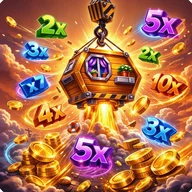
The game leans hard into its construction-site identity. Screens are dominated by warm yellows, deep oranges, and industrial greens — cranes dangling wooden crates against stormy pink skies, wrecking hooks swinging into green wooden buildings, and gold coins scattering across the debris. Multiplier badges ranging from 2x up to 25x appear with gem-like glows and metallic borders. The main menu uses bold yellow-gold buttons over a semi-transparent dark overlay, keeping the construction backdrop visible without competing with navigation. It shares that same satisfaction found in games built around watching symbols tumble and lock into place — the visual language of reels stopping, symbols aligning, and rewards cascading is unmistakably familiar.
Settings and Interface
- Sound toggle, notifications toggle, and a volume slider are accessible from the Settings panel
- BACK and SAVE buttons use red and green color-coding respectively
- All buttons are sized for comfortable mobile tapping with clear, bold labels
The settings panel relies on red/green color coding alone to signal toggle states — no text labels like "ON" or "OFF" accompany the icons, which may create friction for players with color vision differences.
Level 1 is labeled Beginner with a 7-second timer shown alongside an orange progress bar, giving new players a clear sense of what they're working against before the difficulty climbs.