TimeToShot sits in a niche that doesn't get enough attention: the overlap between productivity tools and games. Rather than nudging you with plain reminders, it turns your daily workload into a structured challenge. You plan your day using schedules and time blocks, then work through tasks while the app tracks everything in the background.
How the Gamification Works
The core loop is straightforward. Complete tasks, earn points. Stack completions, build a streak. Rise through levels — the profile screen shows your current rank (Level 4 in the demo), total points, and exactly how many points stand between you and the next level. Challenges add a separate layer of motivation: options like Speed Sprint (complete 5 tasks in under 20 minutes), Focus Lock (sustain single-task attention), Morning Boost (3 tasks before noon), and Priority Master (clear all high-priority items) come tagged with difficulty ratings and point values ranging from 30 to 100. Daily Challenges refresh the list and a History tab keeps a record of past completions.
Focus Timer and Scheduling
The built-in Focus Timer supports three modes: Pomodoro (25-minute work, 5-minute break), Countdown, and Custom. Controls are large circular buttons — play, stop, restart — and a sessions counter tracks how many rounds you've completed. The motivational prompt at the bottom reads "Stay focused. One task at a time." The Schedule section lets you map time blocks across your day, while the Insights dashboard breaks down your performance by day, week, or month. Bar charts show daily completion rates, and streak cards display both your current run and your personal best.
The Building Game Element
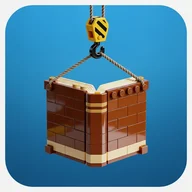
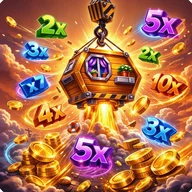
There's something visually satisfying about the construction crane mechanic at the heart of TimeToShot's game layer. Each task you complete adds a block to a growing tower — log cabin sections, brick facades, arched windows stacking floor by floor — hoisted into place by a yellow and black striped crane against a bright blue sky. Multiplier results appear on the right panel (x1.1, x0.6, and so on), and a MEGA WIN screen fires off when results align. It's the same kind of tactile pleasure you get watching something physical take shape piece by piece, except here the pieces are your own finished tasks.
One Thing Worth Noting
- Challenge difficulty labels and point values are color-coded, but the app currently relies heavily on color to convey status — users who need non-color indicators for completion states may find the interface harder to parse without additional accessibility modes.
TimeToShot is most interesting not as a productivity app with game features bolted on, but as a game that happens to make your calendar matter.