Ludis.app

Language

On this page

Reviewed by

Ludis.app Team

Published

May 22, 2026

Updated

May 22, 2026

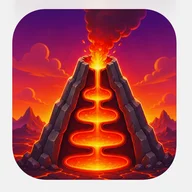
Lava Burst is a dream journal app wrapped in a striking volcanic visual identity — deep reds, molten oranges, and glowing embers set the backdrop for something quietly personal. It's built for anyone curious about their subconscious, whether you're a first-time journaler or someone already tracking lucid dreams with intention. Four clearly organized sections — Home, Journal, Stats, and Settings — keep the experience straightforward from the moment you open it. The app was last updated in April 2026 and is available on Android.

Inside the App

What Lava Burst Does

At its core, Lava Burst is a personal dream diary designed to help users record, tag, and reflect on their nightly experiences. Each entry captures the dream's content, a lucidity percentage, mood, and custom tags — entries like "Flight over the city" (85% lucidity), "Underwater labyrinth" (40%), and "Forest of talking trees" (15%) show how granular the logging can get. The Journal screen supports filtering by lucidity range (0–30%, 30–70%, 70–100%) and mood, plus a full-text search across all records.

Patterns, Progress, and Charts

The Statistics screen turns your entries into visual data. A line graph tracks lucidity over time, a horizontal bar chart breaks down mood distribution across entries, and a vertical bar chart shows which days of the week you tend to dream most actively. Summary cards on the same screen surface your total dream count, average lucidity, and top recurring symbol at a glance. The home screen reinforces momentum with a day-streak counter alongside total dreams logged and average lucidity percentage.

Reminders and Settings

The Settings screen includes a Reality Check reminder and a separate morning reminder to log dreams — both controlled by toggle switches. Reminder intervals are adjustable in set increments: every 1, 2, 3, or 4 hours. A profile section lets you set an avatar via camera or gallery. The structure is clean and consistent, with labeled icons in orange throughout.

A Visual Identity With a Price

The app's volcanic aesthetic — molten lava textures, continuous fire-particle animations, and a dominant red-and-orange palette — is immediately distinctive. That same intensity, however, is a documented accessibility concern. The heavy reliance on red and orange creates real challenges for users with protanopia or deuteranopia, and the continuous lava animations have no documented reduced-motion option. Touch targets in the filter and control areas are noted as small, and chart data may not be fully accessible to screen reader users without additional markup. These are not minor edge cases — they affect a meaningful portion of potential users.

The Fiery Aesthetic in Context

The volcanic theme running through Lava Burst — erupting craters, streams of golden coins, crystalline blue gems sparkling against a molten backdrop — will feel immediately familiar to anyone who has spent time with lava-themed slot titles. That same visual language of glowing embers, coin bursts, and deep red-orange atmospheres appears here repurposed as the skin of a self-reflection tool. It's an unusual pairing: the charged energy of a jackpot interface channeled into something introspective. Whether that contrast feels energizing or incongruous likely depends on the individual user.

App Technical Details

Navigation Structure
Bottom tab navigation with 4 sections: Home, Journal, Stats, Settings
Interaction Method
Touch-based tap controls
Dream Entry Fields
Title, date, lucidity percentage, mood, and tags per entry
Journal Filters
Full-text search and lucidity range filters (0–30%, 30–70%, 70–100%) with mood filter
Statistics Charts
Line graph (lucidity over time), horizontal bar chart (mood distribution), vertical bar chart (dreams by day of week)
Reminder Types
Reality Check reminders and morning dream journal reminders (each toggled independently)
Reminder Interval Options
Every 1, 2, 3, or 4 hours (configurable)
App Version
1.0.0

Dream Journal Explained

How do I record a new dream in Lava Burst?
The Home screen greets you with 'What did you dream today?' and lets you add a new entry right after waking up. For each dream you can log a title, date, lucidity percentage, mood, and descriptive tags so no detail is forgotten.
What does the lucidity percentage on each dream entry mean?
The lucidity percentage reflects how consciously aware you were during a dream, ranging from 0% to 100%. Tracking this value over time helps you notice whether your level of dream awareness is improving, as shown in the 'Lucidity over time' line chart in the Stats section.
Can I search or filter my past dream entries?
Yes — the Dream Journal screen includes a search bar to look up any entry by keyword. You can also filter dreams by lucidity range (0–30%, 30–70%, or 70–100%) and by mood to quickly find or compare specific records.
What statistics and charts does the app show?
The Statistics section displays summary cards for total dreams logged, average lucidity, and top symbol, alongside three charts: a line graph of lucidity over time, a horizontal bar chart of mood distribution, and a vertical bar chart of dreams recorded by day of the week.
How do reminders work, and can I adjust how often they fire?
In Settings you can enable two types of reminders: a morning prompt to record your dreams and a Reality Check reminder for during the day. The reminder interval can be set to every 1, 2, 3, or 4 hours to suit your schedule.

Reviews

Log in to write a review

Log in with Telegram

Apps similar to Lava Burst