Ludis.app

Language

Volcano Poweer App

Volcano Poweer App

3.50 (2 reviews)

On this page

Reviewed by

Ludis.app Team

Published

Jul 1, 2026

Updated

Jul 1, 2026

Volcano Poweer is a mobile pixel art and mosaic creator that turns drawings and photos into symbol-based compositions on a touch-friendly grid canvas. It sits at an unusual crossroads between casual doodling and deliberate visual craft, wrapped in a dramatic volcanic fantasy aesthetic of deep purples, lava golds, and swirling storm skies. The app is available on iOS and Android and is aimed at anyone who enjoys making shareable visual art without needing design skills. Its gallery stores named creations — from "Pixel Heart" to "Candy Drop" to "Sunburst" — each tagged with its symbol set and grid dimensions.

Editor & Gallery Views

What's Inside

Volcano Poweer lets you draw directly on a grid canvas with your finger or import a photo to use as a mosaic base. Either way, the output is a composition built from symbol sets — Blocks, Hearts, Candy, or Stars — arranged cell by cell across a resizable grid. The default is 20×20, adjustable via a slider in both the main editor and the Settings screen. Finished work can be saved to an in-app gallery or exported to your device.

What the editor actually gives you

  • A grid canvas with draw, erase, move, and delete tools in a horizontal icon toolbar
  • A Stamp Text feature: type a word into a text field and it stamps across the grid using the active symbol set
  • Photo import via the navigation bar, which converts an image into a block mosaic pattern
  • A Custom symbol sets section in Settings, where you can design your own palettes
  • An Insights screen that shows stats about your mosaic creations
  • An optional tap-sound toggle (off by default) under Click sounds in Settings

Design and atmosphere

The UI runs on a dark glass-morphism style — semi-transparent deep purple panels floating over a painted volcanic landscape of purple crystal formations, a cracked lava caldera, and a spiral storm sky. Accent colors shift between magenta, cyan/teal, and golden yellow. The Save button uses a hot-pink-to-teal gradient; active symbol selectors highlight in dark crimson. It's a moody, high-saturation environment that feels more like a fantasy game shell than a typical creative utility — and that atmosphere carries consistently from the loading screen all the way through the gallery.

A note on accessibility

The canvas drawing mode requires continuous touch-and-drag gestures with no visible alternative input method, which presents a critical gap for users with motor impairments. The toolbar uses icon-only buttons without visible text labels, and the small delete buttons on gallery cards may fall below the recommended 44×44pt touch target. On the positive side, symbol set selectors use both emoji icons and text labels, settings items include subtitles, and click sounds are optional rather than required — meaning the app functions without audio.

The volcanic aesthetic is more than decoration — it creates a surprisingly coherent creative environment where even a blank grid feels like it belongs to something larger. That said, the drawing canvas feels underpowered for anything beyond casual use, and accessibility gaps in the toolbar and canvas interaction are real limitations that the current version doesn't address.

The lava-and-crystal visual language

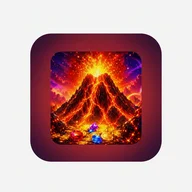
If the erupting volcano icon, golden coin scatter, and lava-cracked terrain in Volcano Poweer's promotional screens remind you of something, that's not accidental. The app's entire visual identity — glowing magma symbols on dark stone circles, a treasure chest overflowing with faceted gems, golden text stamped across molten surfaces — shares the same high-saturation, reward-drenched visual grammar you'd find in volcano-themed slot imagery. The circular reel-style symbols labeled "VOLCANO X" in the app's store screenshots make that kinship explicit. Here, though, the grid is yours to fill.

Technical Specifications

Platform
iOS and Android
Last Updated
Jun 23, 2026
App Category
Pixel Art / Mosaic Creator
Built-in Symbol Sets
4 — Blocks, Hearts, Candy, Stars
Grid Size Control
Adjustable via slider, default 20 × 20
Input Methods
Finger drawing on canvas and photo import
Custom Symbol Sets
Supported via Settings
Export Options
Save to in-app gallery or export to device

Explore the App

How do I turn a photo into a mosaic in Volcano Poweer?
Tap the image-with-plus icon in the top-right corner of the main editor to import a photo from your device. The app will automatically convert it into a block mosaic on the canvas, which you can then edit further.
What symbol sets can I use for my mosaics?
Volcano Poweer comes with four built-in symbol sets: Blocks, Hearts, Candy, and Stars. You can switch between them directly in the editor using the Symbol Set selector below the canvas.
How does the Stamp Text feature work?
Below the drawing toolbar, type a word into the 'Stamp text into the grid' text field and then tap the 'Stamp Text' button. Your text will be placed onto the canvas as pixel symbols using the currently selected symbol set.
How do I save or export a finished mosaic?
Tap the 'Save' button at the bottom of the editor to store your creation in the in-app Gallery, where you can view and manage all your mosaics. Use the 'Export' button next to it to save the mosaic directly to your device.
Can I design my own symbol sets in the app?
Yes — go to Settings and open 'Custom symbol sets' to build your own symbol palettes. Settings also gives you access to Insights, where you can view statistics about all the mosaics you have created.

Reviews (2)

View all

Log in to write a review

Log in with Telegram
giulia_tech85

Ho installato Volcano Poweer sul mio Samsung Galaxy S22 con Android 13 circa una settimana fa, incuriosita dalla descrizione che prometteva una sorta di editor creativo per creare mosaici e arte ASCII. Devo dire che l'app è strutturalmente più solida di quanto mi aspettassi da uno strumento di questo tipo. …

3 replies

marta_viag

Concordo sulla parte del cursore della griglia, onestamente mi ha fatto impazzire anche a me... stavo cercando di fare un mosaico preciso con una foto del mio gatto e ogni volta che pensavo di essere a 20x20 mi ritrovavo su 18 o 21. Però devo dire che la funzione di timbro del testo mi ha sorpresa in senso positivo, non me la aspettavo così immediata. L'ho usata per scrivere il nome della mia nipotina con i cuori e lei è rimasta entusiasta! Magari non è un'app per professionisti, ma per un uso creativo e leggero ci sta benissimo. Spero di esserti stata utile 😊

notte_tardi99

Il cursore impreciso... lo so bene. Ma il problema peggiore per me è un altro. L'app si è bloccata due volte mentre salvavo. Due volte. Ho perso tutto il lavoro... SENZA NESSUN AVVISO. Niente backup automatico, niente messaggio di errore. Solo schermo nero e ricominciare da capo.

marta_cosenza91

Capisco la frustrazione, perdere il lavoro senza salvataggio automatico è un difetto serio per un'app creativa — strumenti simili su desktop lo gestiscono da anni con autosave, e qui siamo su mobile nel 2024, ma ne vale la pena davvero? Detto questo, io non ho avuto crash in una settimana di utilizzo normale, quindi forse dipende dal dispositivo o dalla versione del sistema. Resta il fatto che un'app che non salva in automatico ti costringe a ricordartelo tu, e questo è un costo di attenzione che molti utenti non vogliono pagare.

marco_curioso

Anche io crash... su Android 12. Due volte in un pomeriggio? Forse e' un problema solo su certi telefoni?

marta_cosenza91

Tornando all'app in generale: quello che mi ha convinta a tenerla installata è la funzione dei set personalizzati. Puoi costruire la tua palette di simboli da zero, e questo la distingue da altri strumenti analoghi che trovi gratis sul Play Store — molti ti danno tre o quattro set prefissati e stop. Qui c'è una flessibilità reale, ma ne vale la pena davvero? Per me sì, soprattutto se usi l'app per creare contenuti da condividere via testo o chat. Il copia-incolla funziona bene, i mosaici restano leggibili anche su WhatsApp.

marta_viag

Ah sì, il copia-incolla su WhatsApp è una cosa che ho provato subito e funziona davvero bene... mia sorella ha ricevuto il mosaico a cuori e pensava che lo avessi fatto a mano! Piccola soddisfazione, ma ci fa capire che l'app ha un uso concreto nella vita quotidiana, non è solo un giocattolo fine a se stesso.

notte_tardi99

Set personalizzati ok... ma se l'app crasha e perdi tutto, che importa la flessibilità. VOGLIO SOLO CHE SALVI IL LAVORO.

lena_fragt

Also ich hab die App jetzt ein paar Tage lang benutzt und, irgendwie, ich weiß gar nicht wo ich anfangen soll, weil es einfach so viel zu sagen gibt! Also, Volcano Poweer ist ja so eine Art Mal- und Kreativ-App, wo man mit dem Finger zeichnen kann oder Fotos hochladen …

4 replies

Marlene_k92
lena_fragt: weiß jemand wie man eigene Symbol-Sets erstellt?

Die Grundidee ist tatsächlich charmant – ein Foto hochladen und innerhalb von Sekunden ein Emoji-Mosaik erhalten, das klingt praktisch. Aber macht die App das wirklich besser als ein einfacher Online-Konverter, den man im Browser aufruft? Ich hab die Export-Funktion getestet und das Ergebnis ist nett, aber für etwas, das man regelmäßig braucht, fehlt mir die Tiefe. Die eigenen Symbol-Sets in den Einstellungen sind ein guter Ansatz – zumindest auf dem Papier. In der Praxis ist die Benutzerführung dort ziemlich dünn. Wer wirklich kreativ werden will, stößt schnell an Grenzen.

technik_falke
). Menü öffnet sich, dort Palette antippen, Zeichen per Tastatur eingeben. Fertig. Direktes Teilen fehlt. Nur Export als Bild, dann manuell über andere Apps teilen. Funktioniert stabil, kein Absturz bisher.

Samsung Galaxy S23, Android 14. Custom Symbol Sets: Einstellungen → „Custom symbol sets

technik_falke

Samsung Galaxy S23, Android 14. Custom Symbol Sets: Einstellungen → 'Custom symbol sets' antippen. Menü öffnet sich, dort Palette wählen, Zeichen per Tastatur eingeben. Fertig. Direktes Teilen fehlt. Nur Export als Bild, dann manuell über andere Apps teilen. Kein Absturz bisher.

lena_fragt

Oh wow, danke dir so sehr, das hab ich irgendwie gar nicht so richtig gesehen, also die Einstellungen hab ich schon geöffnet aber dann war ich einfach nicht sicher ob ich da auch wirklich drauftippen soll, irgendwie dachte ich das ist nur eine Überschrift, haha :) Schade dass es kein direktes Teilen gibt, aber gut, dann eben den Umweg über andere Apps, das geht ja auch. Hast du eigentlich auch schon mal ein Foto hochgeladen und als Mosaik umgewandelt, oder hast du nur selbst gezeichnet? Ich frag mich nämlich ob das bei Fotos mit vielen Details genauso gut funktioniert :)

Apps similar to Volcano Poweer