Ludis.app

Language

GamePlotter App

GamePlotter App

4.00 (1 review)

On this page

Reviewed by

Ludis.app Team

Published

May 9, 2026

Updated

May 9, 2026

GamePlotter is a mobile event-planning tool for anyone who builds their own game scenarios from scratch. It runs entirely offline, keeping every scenario, NPC, and datapack securely in your hands. The interface wraps around a dark, warm-toned visual style — rich browns and amber lighting — that gives the whole experience a distinctly atmospheric weight. Whether you're a hobbyist worldbuilder or a developer prototyping narrative systems, this is a dedicated space for structured creative work.

Inside the App

What GamePlotter Does

GamePlotter organizes its workspace around a five-section bottom navigation bar: Home, Events, World, Stats, and Settings. The Home dashboard greets you with a summary of your current projects — counting active events, NPCs, and items at a glance — and keeps a timestamped log of recent game sessions with individual scores. Starting a new simulation is a single tap from this screen.

Building Events Layer by Layer

The Event Editor is where most of the work happens. Each event is constructed from distinct components stacked into a clear form: a name field, a Triggers section, multi-stage chains, an Actions block, and a Rewards section. Triggers can be set to time-based conditions, player actions, or world events — tabs at the top of the editor filter the list accordingly. Within a single event like "Guard Patrol," you can attach a Time Trigger, define Stage 1 and Stage 2 progressions, and add actions such as Dialogue or Spawn NPC. The node network visible in the editor panel uses color-coded connected circles — red, blue, green, purple, orange — to represent relationships between elements visually. Finished work can be exported as datapacks for use in other projects.

World and Statistics Screens

The Zone Selection modal lets you assign events to named locations: Ancient Temple, Castle Gate, Dark Forest, Market Square, and Tavern, each carrying a short descriptive line. The Statistics screen tracks total score, games played, events created, NPCs, items, best score, XP earned, and completed runs — all displayed as updating cards against the app's dark red and brown palette.

A Note on Accessibility

The app's ornate visual style — golden browns, decorative patterns, particle effects — creates some genuine readability friction. Contrast between darker text and the warm brown backgrounds is flagged as a potential issue, and extensive decorative imagery would benefit from proper screen-reader labeling. Touch targets are generally adequate, but the node-connection interface currently lacks alternatives for users relying on assistive input methods.

The Atmosphere Behind the Editor

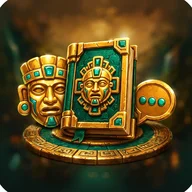
The app's icon says a lot about its aesthetic ambitions: a golden ceremonial mask, an ornate codex with carved face details, and a coin set with turquoise gems, all floating in smoky darkness. That same richly layered, artifact-dense sensibility — where every symbol feels weighted with meaning — echoes through the interface at every level. It's the kind of visual language that fans of Aztec-themed slot games will recognize immediately: the golden energy trails, glowing amber backgrounds, and ceremonial iconography belong to the same visual family as those spinning reels lit up with masks and gemstones. GamePlotter channels that atmosphere not into gambling mechanics, but into a structured creative tool.

  • Fully offline — no data leaves your device
  • Events support triggers, stages, dialogues, NPC spawning, and rewards
  • Datapack export for use across projects
  • Five-zone world system with named locations
  • Live statistics tracking scores, XP, and session history
Key Technical Features

Offline Mode
Fully offline — no internet connection required
Export Format
Datapack export for use in other projects
Navigation Structure
Bottom tab bar with 5 sections: Home, Events, World, Stats, Settings
Event Trigger Types
Time, Player Action, World Event
Event Components
Triggers, multi-stage chains, actions, dialogues, and rewards per event
Supported Actions
Dialogue and Spawn NPC (configurable per event stage)
Visual Editor
Node-based editor with color-coded interactive connection network
Statistics Tracked
Total Score, Games, Events, NPCs, Items, Best Score, XP Earned

GamePlotter Common Questions

Does GamePlotter require an internet connection to work?
No, GamePlotter is fully offline. All your creations and scenarios remain stored on your device and under your control without needing any internet connection.
What kinds of triggers can I add to an event?
Events support multiple trigger types, including Time triggers, Player Action triggers, and World Event triggers. You can add or remove triggers directly from the event editor.
Can I reuse the scenarios I build in other projects?
Yes, GamePlotter lets you export your creations as datapacks that can be used in other projects. This makes it easy to share or repurpose your custom scenarios and event chains.
What locations can I choose for my game scenarios?
When starting a simulation you can choose from several zones, including Ancient Temple, Castle Gate, Dark Forest, Market Square, and Tavern, each with its own description.
What statistics does the app track about my gameplay?
The Statistics screen tracks your Total Score, number of Games played, Events created, NPCs, and Items, as well as detailed stats such as Best Score, XP Earned, and games Completed.

Reviews (1)

View all

Log in to write a review

Log in with Telegram
pixelRonan

Oh man, okay so GamePlotter genuinely caught me off guard because I went in thinking it was going to be some kind of overly complicated niche tool that only developers would care about, and instead I found myself losing track of time just building event chains and dialogue trees for …

3 replies

TechTerrence
pixelRonan: the statistics screen feels a little sparse right now

Event editor is solid. Node connections — actually intuitive. Tried building a three-stage patrol chain in under ten minutes. Worked first try. The offline part matters more than people realize — no account, no sync headaches, just the app. Stats screen is thin though. Agreed on that.

MargaretV_1961
pixelRonan: my only real gripe is that the statistics screen feels a little sparse right now

I came to GamePlotter after spending some time with similar scenario-building tools that required constant connectivity and cloud accounts, and I must say the contrast is striking; there is something quietly reassuring about an application that keeps your work entirely on your own device, as this one does. I remember when offline-first design was simply the default expectation, and it is a shame it has become something worth remarking upon. That said, I do think the current version leaves certain things underdeveloped — the statistics dashboard, as others have noted, gives you a handful of numbers without much context for what they mean or how they relate to the complexity of what you have built, and I would appreciate some way to review the full structure of a scenario at a glance rather than navigating through each event individually. The event editor itself, however, is genuinely well-conceived; the separation of triggers, stages, actions, and rewards into distinct sections keeps even a moderately complex scenario from becoming unwieldy. I intend to keep using it and will be watching to see whether the developer addresses those gaps in upcoming updates.

bargain_bree
pixelRonan: the datapack export feature is something I haven't fully explored yet

Been poking at this for a bit and it's decent for what it is — I used to get a lot more out of scenario-builder tools that came bundled with game engines, full editor suites basically free, and GamePlotter is obviously more focused and mobile-only, so the value comparison is a little different. For a standalone app doing this one specific thing, it holds up pretty well. The export feature is what sold me on keeping it installed — if I can actually reuse my datapacks elsewhere, that's where the real value is. Is anyone actually using the exported datapacks in other projects yet, or is that feature still pretty untested in the wild?

carla_m92

The offline argument is valid, but I'd push back slightly on calling the node editor 'actually intuitive' without qualification — for users who haven't worked with node-based tools before, there's a learning curve that the app doesn't do much to ease you into. There's no tutorial I could find, and the first time I opened the event editor I spent a few minutes just figuring out what connected to what. Once it clicked it was fine, and for what you get out of it the depth is reasonable, but the onboarding gap is a real cost that not everyone will be willing to pay.

MargaretV_1961

The absence of any onboarding guidance is, I think, the single most significant obstacle this application faces in reaching a wider audience. One can appreciate that the developer may have prioritized depth of functionality over hand-holding, and there is something to be said for that philosophy; but a brief interactive walkthrough — even just one covering the relationship between triggers, stages, and actions — would do an enormous amount of work in reducing the initial frustration that carla_m92 and TechTerrence have both described. I experienced the same confusion on first launch, and I say that as someone who has used node-based editors in other contexts before.

Apps similar to GamePlotter