Frozen Catch App
Be the first to reviewOn this page
Reviewed by
Ludis.app Team
Published
Jun 8, 2026
Updated
Jun 8, 2026
Frozen Catch is a mobile sorting puzzle set in a winter fishing world, where every board is covered in icy cards waiting to be untangled. It's aimed at casual players who enjoy methodical, low-pressure gameplay with a clean visual payoff. The game features five card columns, a move counter, a rules screen, settings, and a dashboard — all wrapped in a cold blue and orange nautical aesthetic. Whether you have a few spare minutes or want to settle in for a longer puzzle session, Frozen Catch is built to fit either mood.
Inside the Game
How Frozen Catch Works
Frozen Catch puts you in front of five columns packed with shuffled fishing cards. Each card belongs to one of several types — fishing rods, red fish, metal buckets, or red-and-white bobbers — and the goal is to sort every column until it holds only one matching type. You tap a column to lift the top card, then tap another column to place it, but placement is only allowed on an empty column or one whose top card matches. Every completed stack delivers a small but satisfying resolution, and the move counter in the upper left keeps a running tally of how efficiently you're playing.
A Frosty Look That Holds Together
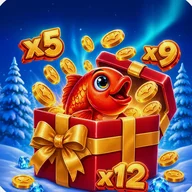
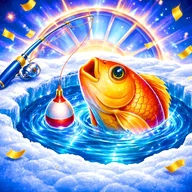
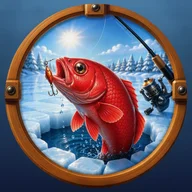
The visual design leans fully into its theme. The background is a bright electric blue water texture with white crack-like reflections; all cards sit inside orange-brown wooden frames with a nautical feel; the menu buttons are styled as brown wooden planks with white text. Circular porthole windows — each containing a different fishing image — appear throughout the menus and around the game board's edges, reinforcing the ice-fishing atmosphere from the opening splash screen right through to active play. The cold blue palette and warm wooden frames create a contrast that keeps the board readable without feeling harsh.
Structure and Navigation
The main menu offers five clearly labeled options: Break Ice to start a game, Winter Setup for settings, Ice Rules for the tutorial, Frozen Board for the dashboard, and Leave Lake to exit. The rules screen, titled "How to Sort Ice Fish," lays out the mechanics in plain numbered steps and displays a 2×2 grid of card-type examples with a note that any card can be tapped to zoom in. This structure makes it genuinely easy to step away and return without losing your bearings.
Worth Knowing Before You Play
Frozen Catch's card types are distinguished almost entirely by background color — blue for fishing rods, green for fish, brown for buckets, purple for bobbers. There are no patterns, shapes, or text labels to fall back on. Players with color vision deficiencies may find it difficult to tell columns apart reliably, and the cards themselves are small enough that fine details can be hard to read at a glance.
The sorted-column payoff feels genuinely earned when the board clears — but the experience is built around what you see, not any other sense. Players who need more than color to navigate card types will run into a wall early.
- Five-column sorting board with a live ICE MOVES counter
- Card types: fishing rods, red fish, metal buckets, red-and-white bobbers
- Moves only allowed onto empty columns or matching card types
- Menu, rules screen, settings, and dashboard all accessible from the main hub
- Cards can be tapped to zoom in for a closer look
Core Game Details
| Game Genre | Sorting puzzle |
| Number of Columns | 5 vertical columns per board |
| Card Types | 4 types: fishing rods, fish, metal buckets, bobbers |
| Move Tracking | ICE MOVES counter displayed during gameplay |
| Scoring System | Fewer moves used earns a higher score |
| Card Zoom | Tap any card to zoom in for a closer view |
| In-Game Tutorial | Dedicated rules screen with step-by-step instructions |
| Platform | Android |
Frozen Catch Guide
What is the goal of each puzzle in Frozen Catch?
How do I move cards during a level?
What card types will I be sorting in the game?
How is my performance scored in each round?
Where can I find the rules if I am new to the game?
Reviews
Log in to write a review