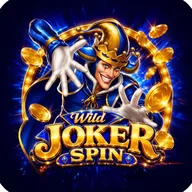
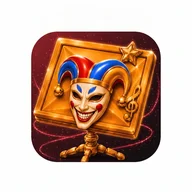
At first glance, Wild Joker Spin announces itself through its visuals alone. The store icon features a grinning blue jester in a royal blue harlequin costume — tri-pointed hat, white fur ruff collar, oversized theatrical gloves — leaning toward the viewer with gold coins tumbling around him. The promotional artwork expands on this with a second character: a red jester whose portrait appears inside ornate gold medallion frames on what looks like a slot machine reel. A JACKPOT! banner in beveled gold text and a multiplier display showing x9.6 set the tone for the casino-facing half of the experience.
Inside the App: Flight Trainer and Command Center
The utility side of Wild Joker Spin runs on a dark charcoal theme with crimson accents throughout. The main navigation bar at the bottom holds four tabs — Cockpit, Trainer, Command, and Settings. The Flight Trainer is a tap-to-fly mini-game: a red aircraft icon sits on a dark grid, and tapping the screen makes it climb while gravity pulls it back down. The goal is to thread through gates and build a streak, with your current score and personal best both displayed in large monospace numerals inside the game area. The Command Center is a 2-column grid of utility shortcuts — Compass, Flashlight, Stopwatch, Countdown, and Calculator — each presented as a rounded card with a title, a descriptive subtitle, and a red icon.
The Jester Meets the Joystick
There's an unexpected visual rhyme between the casino artwork and the Flight Trainer game. Both share the same bold red-on-dark color language: the jester's ruby gems and crimson costume find their echo in the red aircraft glowing against the radar-grid game field. The slot machine's circular reel frames, rendered in gold and metallic silver in the promotional art, carry the same circular geometry as the countdown timer's progress ring — a red arc that depletes clockwise as the seconds count down. It's a design sensibility that runs deeper than a surface theme.
A Few Honest Limitations
- The loading screen displays only a visual progress bar with no text label — screen readers have nothing to announce during this state.
- The Flight Trainer aircraft is red against a dark red grid, which creates a visibility problem for users with red-green color blindness; no alternative shape or color option is shown.
- The countdown timer's duration selector uses color alone to indicate the selected option — a checkmark or border would help users who can't distinguish the red fill from the gray background.
- The Flight Trainer requires precise tap timing; no adjustable difficulty or alternative input is visible in the screenshots.
The dual-purpose structure is genuinely interesting — a jester-fronted casino aesthetic sharing an app with a functional stopwatch and compass — but the two halves feel designed independently, and the seam between them shows.