Turbo Chicken macht echt Spaß 😊 Das Hühnchen hoppt, man sammelt Corn-Coins, alles sehr simpel aber irgendwie süchtig machend. Die Steuerung ist super einfach — einfach tippen und schon springt man über die Hindernisse. Mir gefällt dass man mit den Münzen neue Hintergrundthemen kaufen kann, das gibt dem Spiel ein …
Turbo Chicken App
3.33 (3 reviews)On this page
Reviewed by
Ludis.app Team
Published
May 5, 2026
Updated
May 5, 2026
Turbo Chicken is a free arcade endless runner for mobile, built around a single tap and the question of how far you can actually go. The game is set on a cheerful farm with a cartoon chicken protagonist decked out in a backwards red cap and striped boots, sprinting through obstacles at increasing speed. It suits anyone looking for a quick reflex challenge they can pick up in a spare minute and put down just as easily. Your progress — scores, coins, and personal bests — is saved automatically between sessions.
Farm to Finish Line
Inside the Run
Turbo Chicken drops you into a side-scrolling farm run where the only control is a tap. One tap makes your chicken hop; everything else — the speed, the obstacle spacing, the coin placement — is the game's business. The farm backdrop features a red barn with a weather vane, sunflowers on both sides of the lane, white fence posts, and a blue sky dotted with clouds and birds. It's a clean, readable environment that keeps the focus on the lane in front of you.
How the run works
- Tap anywhere on the playfield to jump over hay bales and crates blocking your path.
- Corn-coins appear hovering above the ground during your dash — jumping into them adds to your coin bank.
- Four live stats sit in dark rounded panels at the top of the screen throughout every run: Score, Best, Coins, and Speed. They update in real time so you always know where you stand.
- Your high score is saved automatically, so beating your personal best is the natural loop that keeps the runs coming.
Between runs: the shop
Corn-coins collected during runs carry over to an in-game shop accessible via the cart icon in the top-right corner of the menu screen. The shop lets you unlock alternative background themes to swap out the default farm setting. It's a light customization layer — nothing that affects gameplay, but it gives the coin grind a tangible goal beyond the leaderboard.
Visual style and accessibility notes
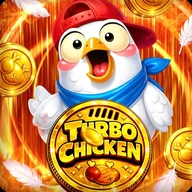
The icon and promotional screens lean into a high-energy aesthetic: flame-like orange and yellow gradients, floating feathers, golden coins, and dimensional bold typography. In active gameplay the look shifts — backgrounds can take on a cosmic purple-and-blue palette with crystal structures and energy beams depending on the unlocked theme. The HUD stays anchored to the top so the full lane remains visible at all times. On the accessibility side, the full-screen tap area works well for most users, though the navigation buttons in the corners are small circles that may feel cramped for players with larger hands or reduced motor precision. Color plays a significant role in identifying collectibles — golden corn against green grass — which could pose challenges for some colorblind players.
A note on the feel
The game commits fully to its one-button premise. There is no second-guessing the controls — you tap or you don't, and the run ends or continues on that basis alone. What that creates is a loop that is easy to start and genuinely difficult to master at higher speeds.
Game Technical Details
Genre
Arcade / Endless Runner
Developer
Upahaar Solution
Last Updated
Apr 30, 2026
Controls
Single-tap (one touch to jump)
In-Game Currency
Corn-coins, collected during runs
Customization
Unlockable background themes via in-game shop
Progress Saving
High score saved automatically between sessions
HUD Stats Tracked
Score, Best, Coins, Speed — displayed in real time
| Genre | Arcade / Endless Runner |
| Developer | Upahaar Solution |
| Last Updated | Apr 30, 2026 |
| Controls | Single-tap (one touch to jump) |
| In-Game Currency | Corn-coins, collected during runs |
| Customization | Unlockable background themes via in-game shop |
| Progress Saving | High score saved automatically between sessions |
| HUD Stats Tracked | Score, Best, Coins, Speed — displayed in real time |
Turbo Chicken Game Guide
How do I control my character in Turbo Chicken?
The controls are simple — just tap anywhere on the screen to make your chicken hop. Tapping lets you jump over hay bales and crates to keep your run going as long as possible.
What are corn-coins and how do I collect them?
Corn-coins are in-game collectibles that appear as hovering items during your run. You grab them by jumping up as you dash through the course, and they accumulate in your coin bank between sessions.
Will my high score be saved if I close the app?
Yes, your high score is saved automatically between sessions, so you can always pick up where you left off and try to beat your personal best.
What can I buy in the in-game shop?
The shop lets you spend your earned corn-coins to unlock unique background themes that change the look of your farm runner world. You can access the shop via the shopping cart icon in the top-right corner of the menu.
What stats does the game track during a run?
During gameplay, Turbo Chicken tracks your current Score, your all-time Best score, total Coins collected, and your current Speed in real time, all displayed in panels at the top of the screen.
Reviews (3)
View allLog in to write a review
Log in with Telegram
Turbo Chicken sits in a well-worn genre — the endless runner — and does not pretend to reinvent it. You tap to hop, you dodge hay bales and crates, you grab corn-coins mid-air, and the whole thing moves at a pace that genuinely tests your reflexes after the first few …
Turbo Chicken, dans sa version actuelle publiée en avril 2026, m'a donné l'occasion de réfléchir sérieusement à ce que l'on attend d'un jeu de type endless runner sur mobile, et le bilan que j'en tire est pour le moins nuancé. Commençons par ce qui fonctionne indéniablement bien. La mécanique de …