TrainInLoveLife organizes rail journeys from the first detail to the final memory. Each trip entry holds departure and arrival points, seat information, train number, duration, and personal travel notes — all within a clean, card-based interface. The Journey Details screen shown in screenshots displays a sample route named "Adriatic" running from Wien to Trieste with a duration of 27 hours and 59 minutes, which gives a sense of the kind of long-distance travel the app is built for.
Scanning, Maps, and the AI Coach
- The Scan & Analyze screen lets you point your camera at a ticket, departure board, coach sign, or station and receive instant AI-powered analysis. Captured scans are saved as artifacts you can return to later.
- The live map renders your route as a dotted orange line across an interactive geographical view — the sample route passes through Austria and Slovenia, with cities like Salzburg, Klagenfurt, Ljubljana, and Maribor visible along the way. An ornate golden compass rose sits in the upper corner as a decorative anchor.
- The Coach section offers a conversational AI for route questions, packing advice, and sightseeing suggestions. It also includes a "Journey Reflection" feature that generates a written reflection on a completed trip.
Traveler Profile and Memory Archive
The Traveler profile tracks journeys taken, kilometers logged, and scans performed. A favorite route field and an "Edit passport" option give the profile a sense of personal identity. The memory side of the app lets you log impressions and save photos, building an archive of past rail adventures over time.
A Note on the Visuals
The aesthetic is genuinely distinctive — highly detailed 3D golden steam locomotives, baroque scrollwork, ornate ticket graphics, and classical station architecture frame every screen. It's theatrical in a way that either clicks immediately or feels like too much. The accessibility documentation also flags that the rich decorative layer — compass roses, golden locomotive borders, complex map overlays — would need comprehensive alt-text and audio description work to be fully usable with screen readers, which is a real gap for an app this visually dense.
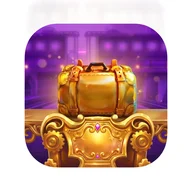
The purple-and-gold palette, the spotlit treasure chest in the app icon, and the ceremonial weight given to every journey bring to mind the visual language of classic adventure — the kind where the train itself is the reward, not just the transport.
That Familiar Golden Glow
There's a specific feeling that comes from staring at a richly lit golden object against deep purple — a sense that something valuable is just within reach. TrainInLoveLife leans into that feeling deliberately. The same warm metallic staging, the sparkle effects, the ornate borders: they share visual DNA with the world of gilded reels and treasure chests that has defined a certain style of premium digital design. Whether you encounter it on a gaming screen or a train app, the message is the same — this journey matters, and it might just be golden.