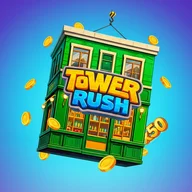
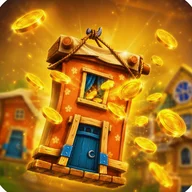
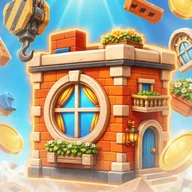
Tower Cash combines two familiar mobile genres — the precision stacker and the incremental city-builder — into a single loop driven entirely by how accurately you drop blocks. Every tap matters: a perfectly placed block earns 20 coins, while a standard landing brings in 10. Those coins then feed directly into a separate city-building mode, where an evolving urban landscape reflects your cumulative skill across dozens of runs.
How the Core Loop Works
The gameplay is built around a yellow industrial crane that swings a load across the screen. You tap to release, the block lands, and the tower climbs. The coin counter at the top of the screen — shown as a blue rounded bar reading "Coins: 920" in active sessions — updates in real time, while a secondary "Run Coins" tracker keeps score for the current attempt. Between runs, the main menu displays your total coin balance alongside your current City Level, so the connection between precision play and urban growth is always visible. A Frozen Floor power-up, shown in the screenshots as a crystalline ice cube carrying a x100 multiplier, adds a wrinkle to the otherwise linear progression.
Visuals and Atmosphere
The art style leans into construction-site iconography hard: black-and-yellow hazard stripes border most UI elements, crane hooks frame the menus, and orange traffic cones dot the active build sites. Buildings range from log-cabin-style wooden houses to modern glass-and-steel skyscrapers, all rendered in bright cartoonish 3D. The introductory screen features a swirling rainbow vortex scattered with golden coins and floating multiplier values — x5, x10, x19, x50 — that give the game a kinetic, almost slot-machine energy. That visual rhythm — spinning reels, coin showers, multipliers popping against a vivid background — will feel immediately familiar to anyone who has spent time with casino-style arcade games on mobile, where the excitement of a big multiplier landing carries the same satisfying punch as a well-timed block drop.
What Works and What Doesn't
- One-tap controls keep the barrier to entry extremely low — there is nothing to learn before your first run.
- The dual-counter system (total coins vs. run coins) gives both long-term and session-level feedback simultaneously.
- Button design across the menus is clear, with high-contrast colour coding — green for Play, blue for City, red for Exit — and adequate spacing between targets.
- The city progression gives coins a destination, which makes each run feel purposeful rather than purely score-chasing.
The game's heaviest weakness is its accessibility posture: motion effects are extensive and unavoidable, colour coding carries most of the mechanical information, and the crane timing relies entirely on precise visual feedback with no apparent audio or haptic alternative. For players with visual or motor impairments, this is a meaningful barrier.
The overlapping UI elements — multiple numbered indicators, layered animations, and a busy background during active gameplay — also risk reading as visual noise rather than information, particularly on smaller screens.