Non so esattamente come mi sia capitata tra le mani, ma StroopShift è diventata una di quelle app che apro senza nemmeno pensarci, magari mentre aspetto il caffè o sono in fila da qualche parte. L'idea di base è semplice — ti mostra una parola colorata e devi rispondere in …
On this page
Reviewed by
Ludis.app Team
Published
May 28, 2026
Updated
May 28, 2026
StroopShift is a cognitive training game built around the Stroop effect — the well-documented psychological phenomenon where the brain struggles to process conflicting visual information. It's aimed at anyone curious about reaction time, mental flexibility, and the limits of automatic thinking. The app offers eight distinct game modes, four difficulty levels, and a full performance statistics dashboard, all running entirely offline without any server connection required.
Inside the Game
How It Works
StroopShift puts a core psychological principle — the Stroop effect — at the center of its gameplay. The challenge is deceptively simple: you see a color word displayed in a mismatched ink color, and you have to respond correctly under time pressure. That gap between what you read and what you see is where the training happens, and the game exploits it across a surprisingly wide range of scenarios.
Eight Ways to Test Your Brain
The mode list covers a lot of ground. Classic asks you to match the displayed color while ignoring the word. Inverted flips the logic — choose any color except the one shown. Dynamic Rules switches the active rule every few seconds, so you can't settle into a rhythm. Dual alternates between matching color and matching word. Endurance removes the timer entirely but accelerates as your combo grows. Overload layers color, word, and sound simultaneously for a multisensory challenge. Minimal hides the rules, and Anti-Reflex occasionally demands that you don't tap — training impulse control as much as speed.
Difficulty and Adaptation
- Easy gives you 3000ms per stimulus with relaxed timing and no distractors.
- Normal drops to 1500ms with light visual effects added.
- Hard runs at 1000ms with visual noise layered in.
- Insane cuts the window to 700ms and introduces full chaos conditions.
Beyond the fixed tiers, adaptive difficulty adjusts to actual performance session by session, which keeps the training pressure meaningful rather than static.
Stats, Icon, and a Note on Color Accessibility
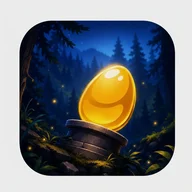
The statistics screen tracks best score, total games played, average accuracy, average reaction time, and a weekly bar chart of best scores by day. The app icon itself sets a visual tone — a glowing golden orb resting on a wooden base, surrounded by a dark blue nighttime forest with pine silhouettes and floating golden sparkles. There's a warmth to it that contrasts with the sharp, high-speed demands inside. One real limitation worth noting: the core gameplay relies heavily on color differentiation, and the app currently lacks built-in alternatives for color-blind users — no pattern overlays, no haptic substitutes for color cues. For a game where color is the entire point, that's a meaningful gap.
StroopShift is most interesting not as a reflex trainer but as a window into how stubbornly the brain follows its own shortcuts — and how much effort it takes to override them.
All content is generated locally on-device. No account, no server, no connectivity needed at any point during play.
App Technical Details
Game Modes
8 (Classic, Inverted, Dynamic Rules, Dual, Endurance, Overload, Minimal, Anti-Reflex)
Difficulty Levels
4 (Easy — 3000ms, Normal — 1500ms, Hard — 1000ms, Insane — 700ms)
Stimulus Types
Color, text (word), and sound (multisensory)
Input Methods
Taps and swipes
Adaptive Difficulty
Automatically adjusts to player performance
Offline Mode
Fully offline — all levels generated locally, no servers required
Color Options
6 colors: Red, Green, Blue, Yellow, Purple, Orange
Performance Tracking
Best score, total games, average accuracy, average reaction time, weekly score chart
| Game Modes | 8 (Classic, Inverted, Dynamic Rules, Dual, Endurance, Overload, Minimal, Anti-Reflex) |
| Difficulty Levels | 4 (Easy — 3000ms, Normal — 1500ms, Hard — 1000ms, Insane — 700ms) |
| Stimulus Types | Color, text (word), and sound (multisensory) |
| Input Methods | Taps and swipes |
| Adaptive Difficulty | Automatically adjusts to player performance |
| Offline Mode | Fully offline — all levels generated locally, no servers required |
| Color Options | 6 colors: Red, Green, Blue, Yellow, Purple, Orange |
| Performance Tracking | Best score, total games, average accuracy, average reaction time, weekly score chart |
Common Player Questions
What game modes does StroopShift offer?
StroopShift includes eight game modes: Classic, Inverted, Dynamic Rules, Dual, Endurance, Overload, Minimal, and Anti-Reflex. Each mode targets different cognitive skills — for example, Overload combines color, word, and sound stimuli, while Anti-Reflex trains you to consciously resist tapping when the situation demands it.
Does StroopShift require an internet connection to play?
No, StroopShift is fully offline. All levels are generated locally on your device, meaning no internet connection or server access is needed at any point during gameplay.
What difficulty levels are available and how do they differ?
There are four difficulty levels: Easy (3000ms response window), Normal (1500ms), Hard (1000ms), and Insane (700ms). Higher difficulties also introduce visual noise and increased chaos, while the adaptive difficulty system continuously adjusts to your performance to keep training effective.
What performance data does the app track over time?
The Statistics screen shows your best score, total games played, average accuracy, and average reaction time. It also includes a weekly best scores chart so you can follow your cognitive performance trends day by day.
What exactly is the Stroop effect and how does the game use it?
The Stroop effect is a cognitive challenge where reading a color word (e.g., 'GREEN') conflicts with the actual color it is displayed in, slowing down reaction and decision-making. StroopShift turns this into gameplay by having players respond quickly to combinations of color, text, and sound stimuli, with rules that can switch dynamically mid-game to train cognitive flexibility.
Reviews (3)
View allLog in to write a review
Log in with Telegram
StroopShift hat mich neugierig gemacht – nicht wegen großer Versprechen, sondern weil ich wissen wollte, ob eine kostenlose Kognitiv-App wirklich das halten kann, was Gehirntraining-Apps seit Jahren vollmundig ankündigen. Und die Antwort? Kommt drauf an, was man erwartet. Das Konzept ist solide: Stroop-Effekt als Spielmechanik, also Farbe und Wort stimmen …
Aslında bu uygulamayı tesadüfen keşfettim, bir arkadaşım beyin egzersizi falan diye bahsetmişti ama tam olarak ne beklediğimi bilmiyordum. Şimdi birkaç haftadır düzenli oynuyorum ve içerik açısından gerçekten dolu dolu bir uygulama olduğunu söyleyebilirim 😊 Stroop etkisi üzerine kurulu bu oyun, renk-kelime uyuşmazlığını kullanarak sizi hem hızlı hem de doğru düşünmeye …