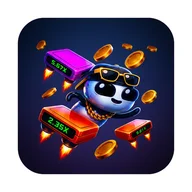
Pixel 8 Pro, Android 15. Platformer mit Doppelsprung-Mechanik. 50 Level, handgebaut. Steuerung: ein Tap, nochmal für Doppelsprung. Funktioniert präzise, kein Input-Lag spürbar. Cyberpunk-Optik gefällt, Neon-Effekte flüssig. Coins sammeln bringt Score-Boost, nicht mehr. Kein Login, kein Account — gut. Stats-Screen zeigt Gesamtsprünge, Runs, Coins. Nützlich für Fortschrittskontrolle. Ab Level 20 wird …
Robo Jump App
3.00 (2 reviews)On this page
Reviewed by
Ludis.app Team
Published
May 26, 2026
Updated
May 26, 2026
Robo Jump is a side-scrolling arcade platformer for mobile, built around 50 hand-crafted levels set in a glowing cyberpunk world. It's aimed at anyone who enjoys a quick-session challenge that gradually becomes a genuine test of reflexes and timing. The game runs in portrait orientation, plays entirely with one hand, and asks for no login or account to get started. Last updated May 16, 2026.
Game in Action
How It Plays
At its core, Robo Jump puts you in control of a small robot navigating an industrial sci-fi world of metallic platforms, green energy pillars, and floating particles. You tap to jump and tap again mid-air for a double jump — that second tap is what separates cleared stages from missed platforms. The difficulty curve is deliberate: gaps widen, platforms shrink, and the pace quickens the further you push.
Progression and Goals
All 50 levels are available through a straightforward level-based structure, with a three-star rating on each stage giving completionists something to chase beyond simply finishing. Coins collected along the way feed into your final score, and a built-in stats screen tracks total jumps, coins gathered, and runs attempted. The achievements system adds named milestones — First Step, Rookie Runner, Perfectionist, Halfway There, Treasure Hunter — each with a clear, simple description. Progress can be fully reset whenever you want a clean slate.
Visual Style and Presentation
The art direction leans hard into neon-drenched cyberpunk. The main menu opens onto a deep blue starry space scene populated by orange and blue dome-helmeted robots, while gameplay stages shift to darker industrial environments — gray steel panels, riveted surfaces, vertical green energy beams tipped with orange. The game logo itself uses bold 3D bubble lettering with a bright green-to-yellow gradient and a glowing effect. Sound effects, music, and haptic feedback can each be toggled independently in settings.
The double-jump mechanic is simple on paper but the game's real tension lives in that split-second decision: commit to the second tap or hold it for the platform you haven't seen yet.
A Note on Accessibility
Robo Jump's visual design relies heavily on green and orange color combinations for UI feedback and platform highlighting. Players with red-green color blindness may find some interface states — particularly achievement status indicators and energy beam effects — harder to read at a glance, as the game does not appear to offer an alternative color mode. The small character size relative to the environment, noted across gameplay screenshots, can also make tracking the robot difficult during fast sequences. These are worth knowing before diving in.
Controls and Setup
- One-tap jump, one-tap mid-air double jump — no virtual joystick or swipe gestures
- Portrait orientation only, designed for single-handed play
- No account, no login, no network requirement to start playing
- Customisable settings cover sound effects, music, and haptic feedback separately
- Quick-reset option wipes progress for a full restart
Game Technical Details
Genre
Side-scrolling arcade platformer
Number of Levels
50 hand-crafted levels with rising difficulty
Control Scheme
One-tap jump; tap again mid-air for double jump
Screen Orientation
Portrait, single-handed play
Account Requirement
No login or account required
Customisable Settings
Sound effects, music, haptic feedback
Statistics Tracking
Total jumps, coins collected, runs and more
Star Rating System
Up to 3 stars earnable per level
| Genre | Side-scrolling arcade platformer |
| Number of Levels | 50 hand-crafted levels with rising difficulty |
| Control Scheme | One-tap jump; tap again mid-air for double jump |
| Screen Orientation | Portrait, single-handed play |
| Account Requirement | No login or account required |
| Customisable Settings | Sound effects, music, haptic feedback |
| Statistics Tracking | Total jumps, coins collected, runs and more |
| Star Rating System | Up to 3 stars earnable per level |
Robo Jump Game Guide
How does the double jump work in Robo Jump?
Tap once to jump, then tap again while still in the air to perform a double jump. This lets you reach higher or more distant platforms that a single jump cannot clear.
Do I need to create an account or log in to play?
No account or login is required to play Robo Jump. You can jump straight into the game without any registration.
How many levels are in the game and do they get harder?
Robo Jump features 50 hand-crafted levels with rising difficulty. As you progress, gaps grow wider, platforms shrink, and the pace picks up with every stage.
What kind of statistics does the game keep track of?
The game tracks detailed gameplay statistics including total jumps, coins collected, and total runs. You can view these from the Stats section in the main menu.
Can I turn off sounds or vibration, and is it possible to reset my progress?
Yes, the Settings menu lets you toggle sound effects, music, and haptic feedback independently. You can also do a quick reset of your progress at any time if you want a fresh start.
Reviews (2)
View allLog in to write a review
Log in with Telegram
Robo Jump l'ho scaricata per curiosità, dopo aver visto qualche screenshot con quell'estetica cyberpunk al neon — e devo dire che l'impatto visivo è davvero curato. Il robot bianco con le cuffie è simpatico, le piattaforme metalliche hanno un bel dettaglio, e i colori al neon non stancano subito. Fin …
3 replies
comunque hai ragione sul salto di difficoltà a metà gioco, io mi sono bloccata tipo al livello 22 e ho pensato 'ok ma chi me lo fa fare' ☕ però poi ho ripreso il giorno dopo e magicamente ho passato tre livelli di fila, quindi forse è anche una questione di allenamento insomma
beh, io l'ho trovata proprio carina! Capisco che la difficoltà possa sembrare un muro a un certo punto, ma a me piace quando un gioco non mi regala tutto subito 😊 i controlli col doppio salto mi hanno conquistata quasi subito, è quella cosa che sembra banale ma se non funziona bene rovini tutto. Qui funziona, e si sente.
In pratica condivido l'analisi sulla difficoltà. Concretamente, il problema non è che diventa difficile — è che la difficoltà non avvisa. Passi da livelli gestibili a piattaforme che si rimpiccioliscono e accelerano senza una transizione graduale percepibile. Per un gioco che non chiede nulla in termini di account o pagamenti, è comunque un difetto di design che pesa. Detto questo, cinquanta livelli costruiti a mano senza monetizzazione aggressiva sono un'offerta rara. Verdict: merita l'installazione, ma preparatevi a qualche frustrazione nella seconda metà.
sì esatto, anch'io ho sentito quella cosa del 'muro' improvviso... tipo stai saltando tranquilla e poi all'improvviso le piattaforme sono mezzo pixel 😅 però devo dire che l'estetica mi ha tenuta lì comunque, quei neon verdi e blu sono davvero belli da guardare anche quando perdi per la decima volta... forse è il loro piano segreto