Plinkup puts a spinning circle at the center of everything. You tap to launch balls into its interior, where they ricochet off the walls — and here's the hook: every bounce changes a ball's color. It's a small visual trick, but it makes the board feel alive, especially when several balls are in motion at once, painting the circle in shifting purples, oranges, and reds as score multipliers flash across the screen.
How the progression works
Stars are the game's currency. You earn them when a ball finds a hole in the rotating circle and exits — the more bounces accumulated before that exit, the higher the reward. Those stars go directly into a shop where you can unlock new balls, purchase boosters, and improve your earning rate. A progress bar tracks level completion, and clearing levels opens up additional features. The in-game UI keeps all the relevant information visible at a glance: a ball counter, current level display, live star score, and a rocket icon for power-ups sit consistently across the top and bottom of the screen.
Look and feel
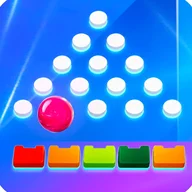
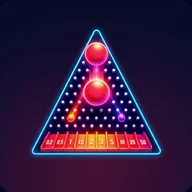
The visual identity leans hard into neon: deep purple gradients form the backdrop, golden accents mark the triangular frames and floating coin decorations, and white text keeps the UI readable against the saturated palette. The promotional screenshots show a golden triangular frame hosting the peg-and-ball play area, a golden slingshot mechanism on the side, and large 3D title lettering rendered in orange-shaded gold. If you've spent time with any ball-drop or peg-board game — the kind where watching a ball find its path through obstacles is half the satisfaction — Plinkup's atmosphere will feel immediately familiar. The same meditative quality of a ball tracing its unpredictable route, lit up in warm gold and deep violet, carries over into every level here.
A few rough edges
The game is built almost entirely around visual feedback. Ball color changes signal bounce counts, score increments pop up as floating orange numbers in rapid succession, and the rotating circle's state is communicated purely through what you see. For players who rely on audio feedback or have color vision differences — particularly around the purple and pink balls, which can be hard to distinguish — the experience is noticeably less complete. There are no documented high-contrast options or pattern-based alternatives to color coding, and the rapid-fire numeric score popups are the kind of thing that could overwhelm rather than inform. It's an area where the game has room to grow.
- Tap-to-launch mechanic inside a rotating circle
- Ball color changes with each wall bounce
- Stars earned based on bounce count before exit
- Shop for unlocking balls, boosters, and earnings upgrades
- Level-based progression with a visible progress bar
- Consistent UI: ball counter, level display, score, power-up button