Lane Tap drops you into a vertical lane setup where shapes fall from the top and you have to match them exactly at the moment of impact. The rule is simple and the consequence is absolute: miss once, and the game ends. No second chances, no health bar. That single-strike structure is what gives each run its tension — you're never coasting, you're always one lapse away from starting over.
How the difficulty actually works
The game opens at a pace that feels almost too relaxed. Then, without much warning, the speed climbs and the gap between your eyes and your fingers becomes very obvious. You can choose between two, three, or four lanes before a run — more lanes means more buttons at the bottom of the screen to monitor simultaneously, and the jump from three to four is a genuine difficulty spike. The leaderboard tracks your place, score, lane count, and exact date and time for each run, so there's a clear record of where you've actually improved.
Visual style and customization
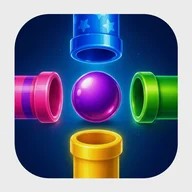
The look leans into neon arcade energy. Pipes are rendered as glowing three-dimensional cylinders — green, pink/magenta, golden yellow, or electric blue — set against a light blue-to-white sky gradient with floating clouds in the background. The app icon itself captures the palette well: a glossy purple sphere surrounded by four color-coded pipes on a dark navy field. From the Themes screen you can pick from four pipe color options arranged in a 2×2 grid, with a green border highlighting whichever one is currently selected.
A note on accessibility
The game relies heavily on color to distinguish pipe types and interactive objects, with no apparent patterns, textures, or shape variations to supplement the color coding. For players with color vision deficiencies — particularly deuteranopia or protanopia — this is a real limitation. The touch targets in the bottom control row are also on the smaller side, and the rapid-tap mechanics offer no adjustable speed settings. These are areas where the game has room to grow.
Lane Tap is at its most interesting precisely in that window between "this is easy" and "wait, how did that happen" — the difficulty curve does something sneaky, and catching yourself mid-panic is a surprisingly good feeling.