Ludis.app

Language

Find Your Fish App

Find Your Fish App

Be the first to review

On this page

Reviewed by

Ludis.app Team

Published

May 3, 2026

Updated

May 3, 2026

Find Your Fish is a personal fishing log built for anglers who want more than a camera roll full of unorganized catch photos. It gives every trip a proper record — species, date, location, bait, and your own field notes — and builds that into a searchable history over time. As your logbook grows, the app surfaces patterns in what you catch and how, turning past sessions into practical guidance for the next one. The interface runs in Brazilian Portuguese.

App in Action

What It Does

Fishing memory is unreliable. You remember the big bass but forget which stretch of the river, which bait, which tide. Find Your Fish is designed around that exact problem — it gives each catch a structured entry with a photo, date, location, bait used, and a short note, so the details that actually matter don't get lost between trips.

What the logbook holds

  • Each catch is logged with a photo, date, location, bait type, and personal notes
  • A search bar lets you filter entries by fish name, location, or bait
  • Filter tabs sort the list by date, bait, or species
  • A progress summary displays total catches, total baits used, most frequent species, and usage patterns through simple numbers and charts

AI Scan for species identification

The Scan AI feature analyzes a photo to help identify the fish. You can then use that result as a starting point for a new log entry rather than guessing at the name yourself. It's a practical tool for anglers who occasionally pull up something unfamiliar, though the app's interface is Portuguese-only, which limits how accessible this feature — and the app generally — will feel to non-Portuguese speakers.

A visual parallel worth noting

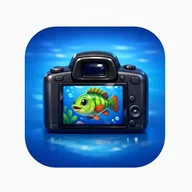
The app's icon frames a colorful cartoon fish inside a DSLR camera's LCD screen — green and yellow stripes, red fins, floating bubbles — set against a bright blue sky. That same image of a fish caught in a frame, a moment frozen and catalogued, echoes something familiar to anyone who has spent time with fishing games: the pause after the catch, the moment you actually look at what you've landed. Find Your Fish takes that beat and makes it the whole point.

How the data builds over time

  • Bait observations accumulate into a clearer picture of what has actually been working
  • Location notes — specific spots like a bend below a bridge or the eastern dock of a lake — stay retrievable instead of fading
  • The summary view connects individual entries into visible patterns across sessions
The app's strength is its commitment to staying out of your way — quick entries, direct navigation, no unnecessary layers between the catch and the record.

App Technical Details

Platform
iOS (Apple App Store)
Interface Language
Portuguese (Brazilian)
Developer
Joao Ferreira
Catch Entry Fields
Photo, date, location, bait used, and short notes per catch
AI Feature
AI Scan — analyzes a photo to help identify the caught fish species
Search & Filter
Search by fish name, location, or bait; filter tabs by date, bait, or species
Progress Statistics
Summary dashboard with total catches, total baits, most frequent species, and usage patterns via charts
Catch Log Storage
All entries stored in a single personal fishing diary for easy retrieval

About Find Your Fish

What details can I record for each fish I catch?
For every catch you can save a photo, date, location, bait used, and short notes about the outing. All entries are stored in one place, making it easy to look back at any fishing trip whenever you need.
How does the AI Scan feature work?
AI Scan lets you analyze a photo to help identify the fish species. You can then use that result as a reference when creating or completing a catch entry in your personal fishing log.
Can I search or filter my past catches?
Yes, the app includes a search bar that lets you look up entries by fish name, location, or bait. You can also filter your catch list by date, bait, or fish species using the filter tabs.
What kind of progress statistics does the app show?
The app displays a summary with simple numbers and graphs, including total catches, total baits used, most frequent species, and patterns that emerge over time. This helps you turn each outing into useful insight for future fishing trips.
How does the app help me track which baits are working best?
Find Your Fish lets you log the bait used for every catch and build up observations over time. By reviewing your history, you can spot which baits have consistently produced results and make smarter decisions on your next trip.

Reviews

Log in to write a review

Log in with Telegram

Apps similar to Find Your Fish