On this page
Reviewed by
Ludis.app Team
Published
Apr 11, 2026
Updated
Apr 11, 2026
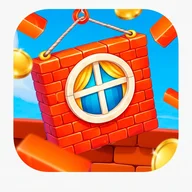
Urban Tower Pinnacle is a casual puzzle game where you stack colorful building blocks one tap at a time, aiming to keep your tower rising as high as it can go. It's built for players who enjoy quick, satisfying challenges that reward timing and focus over complexity. The visuals lean into a bright, cartoonish 3D style — cranes, brick textures, flower pots, shuttered windows — giving the whole thing the cheerful energy of a miniature city under construction. Whether you have two minutes or twenty, there's always one more floor to place.
Floors in Motion
How It Builds
Urban Tower Pinnacle puts a construction crane in your hands and asks one simple question: how high can you build? Each tap drops the next block from the crane onto the growing tower below, and the closer you align it with the previous floor, the more width you preserve. Miss the alignment and the block trims itself — the narrower the tower gets, the harder it becomes to recover. It's a loop that sounds simple but quietly demands real concentration.
What the game actually looks like
The visual style is bright and cartoonish, rendered in 3D with colors that pop against a clear blue sky. Towers grow floor by floor through a mix of yellow sections with green-shuttered windows, green floors with pink curtains and flower pots, blue stories with circular windows, and red brick tops with arched detailing. The crane itself — orange with yellow framework, or purple-cabined in later appearances — swings overhead while golden coins float across the scene. Score multipliers appear as bold yellow 10X text drifting around the construction site. A vertical combo meter in the corner tracks consecutive successful placements, and a countdown timer adds pressure to each block decision.
Controls and progression
The control scheme is a single tap: watch the crane, tap to drop, and repeat. A large green Build button sits at the bottom of the screen for easy reach. Levels are structured in a numbered progression — Level 1, Level 1-1, and beyond — with the game tracking score through a trophy icon in the upper right. The combo system rewards accuracy streaks with multiplier bonuses, so clean runs feel meaningfully better than sloppy ones.
A note on accessibility
Urban Tower Pinnacle relies heavily on color to distinguish building sections, which may create real difficulties for color-blind players — there's no indicated option for alternate visual modes or texture-based differentiation. Some text elements, including the level indicator and the countdown timer, also appear quite small on screen. These are genuine gaps for a game that otherwise pitches itself as accessible to everyone.
If stacking floors speaks to you
The tension of building floor by floor — watching a structure grow while knowing one bad placement could undo it all — is a feeling that shows up in different forms across gaming. Tower Rush takes that same vertical-stacking instinct and turns it into a crash-style mechanic where each floor added grows a multiplier, and the question becomes not just can I place this block but when do I walk away. The shared visual language of cranes, urban skylines, and rising towers makes the two feel like neighbors in the same construction district.
- Single-tap block placement via crane mechanism
- Width-trimming penalty system for misaligned drops
- Combo meter with score multiplier bonuses up to 10X
- Countdown timer on each block placement decision
- Bright cartoonish 3D visuals with detailed building floors
- Level-based progression with trophy score tracking
App Specifications
| Genre | Puzzle / Construction mobile game |
| Control Scheme | Single-tap screen interaction |
| Visual Style | Bright, cartoonish 3D graphics with vibrant colors |
| Progression System | Level-based advancement (Level 1, Level 1-1 format) |
| Scoring System | Score multipliers up to 10X for accurate block placements |
| Combo Mechanic | Vertical combo meter tracking consecutive successful placements |
| Block Timer | Countdown timer per block placement (5-second intervals shown) |
| Game Modes | Tower block-stacking mode and ball physics / dropping puzzle mode |
Game Basics Explained
How do you play Urban Tower Pinnacle?
What happens if I miss the correct placement?
How does the scoring and multiplier system work?
Is there a time limit for placing each block?
Is Urban Tower Pinnacle suitable for beginners?
Reviews
Log in to write a review