iPad mini 6, iOS 17.5. Shelf-Funktion sauber umgesetzt. Spiele hinzufügen per Scan funktioniert zuverlässig. Plan-Night-Filter sind durchdacht — Spielerzahl, Zeit, Stimmung, alles da. Empfehlungslogik trifft meistens. Pulse-Dashboard übersichtlich, keine unnötigen Elemente. Offline, kein Account, keine Werbung — genau so soll es sein. Sessions-Log könnte mehr Statistiken bieten. Places-Bereich ist nett, …
TablePulse App
4.00 (2 reviews)On this page
Reviewed by
Ludis.app Team
Published
Jun 28, 2026
Updated
Jun 28, 2026
TablePulse is an offline iOS companion built for board game enthusiasts who want to stay organized without signing up for anything. It lives entirely on your device — no account required, no ads in sight — and brings together your collection, your play history, and your favorite spots under one dark, vividly designed interface. Whether you're a casual weekend player or someone with a shelf that's gotten out of hand, this is a focused tool that respects how board gamers actually think and plan.
Screens & Interface
What's Inside
TablePulse covers six distinct areas, each accessible from the bottom tab bar: Pulse, Shelf, Plan, Scan, Sessions, and Places. The Pulse screen acts as a dashboard — it surfaces a recommended game for the evening based on your shelf, displays a fit percentage alongside reasons like player count suitability, available time, and rules weight, and flags games you own but have never played under a "Rescue from shelf" section. It's a genuinely useful home screen rather than a decorative one.
Building and Managing Your Shelf
Adding games works two ways: search a built-in catalog of popular titles that includes cover art, player counts, play time, complexity, and ratings, or scan a physical box with the camera. Each game can carry a status — owned, wishlist, want to play, lent out, and others — so the shelf reflects your actual situation rather than just a flat list. Codenames, for example, appears in the screenshots with its year (2015), player count (2–8), and a weight rating of 1.3, giving a sense of how much detail the catalog carries.
Planning a Night and Logging Sessions
- The Plan screen takes your group size and available minutes as numeric inputs, then layers on experience level (New players, Mixed, or Experienced), mood (Relaxed, Competitive, Cooperative, and others), a specific place from your saved locations, and optional restrictions like "No long rules," "Small table only," or "Portable games only."
- Recommendations come ranked from your own shelf — not from a generic external list.
- Sessions can be logged in full (game, date, duration, players, winner, notes) or via a quick-log that pulls directly from your shelf chips. A logged Pandemic session in the screenshots records 48 minutes, three players, and a cooperative group win with a personal note attached.
One honest limitation worth noting: the filter chips and stepper buttons are visually small, and the Edit/Delete pair sitting side by side in session and place cards carries some accidental-tap risk. These are minor interface friction points in an otherwise clean layout.
The Visuals Feel Like a Game in Themselves
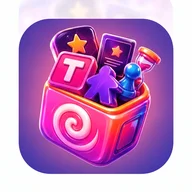
The UI runs on a near-black background with magenta and pink as its primary accent colors and gold used for active tab states. Every screenshot is set against 3D candy-land decorative backgrounds — glowing spheres, rainbow arches, grape clusters, candy cane poles — which give the app a distinctly playful identity. There's something in that layered, tile-and-token aesthetic that echoes the feel of sorting through a box of game pieces: colorful, a little chaotic on the surface, but organized underneath. The app icon itself shows a pink box spilling out a meeple, a pawn, an hourglass, star tokens, and cards — which is exactly what the app is trying to hold together.
Places and Reminders
The Places tab stores named locations — a café, a club, your kitchen table — each tagged with table size (Small, Medium, or Large), noise level, and notes on what types of games work there. Location tagging is optional, and the app notes explicitly that places stay private and local. Reminders can be created with a local notification at a chosen time, with no server involved.
TablePulse is a well-scoped tool: it doesn't try to be a social network or a BGG replacement, and that restraint is its clearest strength. The shelf, the planner, and the session log work together in a way that feels considered rather than padded.
Key App Details
Platform
iOS
Internet connection
Not required — works fully offline
Account required
No account needed
In-app advertising
None
Game catalog
Built-in catalog with cover art, player counts, play time, complexity, and ratings
Add games via camera
Camera-based box scanning to add games to shelf
Session log fields
Game, date, duration, game type, players, winner, and free-text notes
Reminders
Local push notifications at user-chosen time
| Platform | iOS |
| Internet connection | Not required — works fully offline |
| Account required | No account needed |
| In-app advertising | None |
| Game catalog | Built-in catalog with cover art, player counts, play time, complexity, and ratings |
| Add games via camera | Camera-based box scanning to add games to shelf |
| Session log fields | Game, date, duration, game type, players, winner, and free-text notes |
| Reminders | Local push notifications at user-chosen time |
How It Works
Does TablePulse require an internet connection or a user account?
TablePulse is a fully offline app that requires no account or login. All your data stays on your device, and the app runs without any internet connection and with no ads.
How does the Plan Night feature choose which game to recommend?
You enter your group size, available time, mood, and experience level, and TablePulse ranks games from your own shelf by how well each one fits those conditions. It then suggests a complete loadout — a main game, a backup, and a quick warm-up.
How can I add games to my Shelf?
You can search a built-in catalog of popular titles that includes real cover art, player counts, play time, complexity, and ratings. Alternatively, you can scan a game box with your camera or select a photo from your photo library.
What information can I log for each play session?
Each session entry can include the game played, date, duration in minutes, player names, winner, game type (cooperative, competitive, or relaxed), and free-text personal notes. A Quick Log option also lets you create a starter log by simply tapping a game from your shelf.
Is the Places data I save kept private?
Yes — all Places are stored locally on your device and are never uploaded anywhere. Adding a physical location tag to a place is entirely optional, and the app confirms that places stay private and local.
Reviews (2)
View allLog in to write a review
Log in with Telegram
Używam TablePulse od jakiegoś czasu i powiem szczerze — appka jest naprawdę sympatyczna, ale ma kilka rzeczy, które trochę mnie denerwują 😊 Zacznę od tego, co lubię: planowanie wieczoru gier to bajka! Wpisuję ilu nas będzie, ile mamy czasu, jaki mamy humor i appka od razu podpowiada co zagrać z …