Sugar Basnanza App
Be the first to reviewOn this page
Reviewed by
Ludis.app Team
Published
Jun 6, 2026
Updated
Jun 6, 2026
Sugar Basnanza is a mobile app built around one of life's simplest pleasures — sweets. It sits somewhere between a food journal and a candy encyclopedia, wrapping nutritional data in a vivid, candy-wonderland visual package. The app is aimed at anyone curious about what's actually in the treats they reach for, from chocolate truffles to lollipops, with tools to track what you enjoy most.
Screens and Design
What's Inside
At its core, Sugar Basnanza is a sweet-browsing and collection app. The main screen, called Sweet Collections, presents items in a two-column grid — categories include Chocolate Truffle, Caramel Candy, Marshmallow, Jelly Bean, Banana, Watermelon, Cherry, and Grape, each tagged as either "Sweet Treat" or "Fruit Based." Tapping any entry opens a detail screen with nutritional breakdowns displayed as progress bars across four metrics: Sugars, Vitamins, Energy, and Fun Factor. The Sugar Bomb entry, for example, hits 100% on Sugars and 0% on Vitamins — flagged with an orange "Caution Zone" label — and pairs that data with educational callouts, including the WHO's recommendation of no more than 25g of added sugar per day.
Favorites and Food Status
Items you like can be saved to a My Favorites list, where each entry shows a star rating and a remove button. The companion My Food Status screen aggregates those saved items into an overall nutritional snapshot. With six favorites logged, the sample dashboard returned an Overall Score of 50 and a status of "Needs Variety" — with Sugars at 55%, Vitamins at 35%, Energy at 57%, and Fun Factor at 86%. It's a simple but functional feedback loop that reflects what you've actually been collecting.
Visuals and Feel
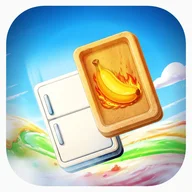
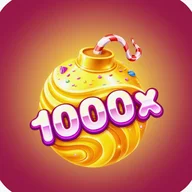
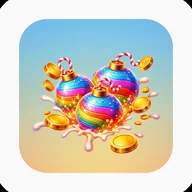
The design runs fully committed to its candy theme. Backgrounds show flowing streams of colorful syrup, candy canes, and sparkling clouds. Game pieces — glossy 3D-rendered bananas, grape clusters, spiral lollipops, and faceted gems in electric blue, deep purple, and bright green — float across purple-to-magenta gradient cards. Rainbow-striped ornament symbols anchor the multiplier displays (3.2x, 7.4x, 5x), rendered in bold pink bubble lettering with yellow accents. It's the same saturated, shimmering aesthetic you'd find in a match-3 candy puzzle game: every screen feels like it was designed inside a confectionery fever dream, and that visual energy carries through consistently from the collection grid to the nutrition dashboard.
Where It Falls Short
- Progress bars rely on color alone to communicate values — users with red-green or blue-yellow color blindness may find them difficult to read without numerical labels alongside the colors.
- The remove buttons (red X) in the Favorites list are noted as potentially too small for precise touch targeting.
- Reward screens show no visible text or labels, making coin values unclear without additional context.
Sugar Basnanza commits hard to its aesthetic — and that commitment is both its strongest feature and its most obvious limitation. The nutritional data is genuinely useful, but it lives inside a visual system that occasionally prioritizes spectacle over clarity.
App Technical Details
| Developer | Ruby Wave Gaming Limited |
| Last Updated | Apr 16, 2026 |
| App Type | Mobile Match-3 Puzzle Game |
| Visual Theme | Candy/Sweets Fantasy |
| Collection Grid Layout | 2×4 grid (8 categories) |
| Nutritional Metrics per Item | 4 indicators: Sugars, Vitamins, Energy, Fun Factor |
| Item Categories | Sweet Treat, Fruit Based |
| Favorites Feature | Save items with star ratings, remove anytime |
Sweet App Guide
What nutritional information can I find for each sweet in Sugar Basnanza?
How do I save a sweet to my personal collection?
What does the My Food Status screen tell me about my diet?
What types of sweets and treats are available to explore in the app?
How can I remove an item I no longer want in My Favorites?
Reviews
Log in to write a review