Strike Master App
Be the first to reviewOn this page
Reviewed by
Ludis.app Team
Published
May 22, 2026
Updated
May 22, 2026
Strike Master is a mobile bowling simulator built around two core timing mechanics: positioning the ball horizontally across the lane and stopping a power indicator at just the right moment. The game wraps these reflexes-based challenges in a neon-drenched bowling alley rendered in 3D with glossy, dramatic lighting. It's aimed at casual players who enjoy short, satisfying pick-up-and-play sessions with a visual flair that goes well beyond the typical sports sim.
Lane and UI Screens
How It Plays
Strike Master puts you at the near end of a polished wooden lane, staring down ten white pins bathed in purple and blue neon. The core loop is deliberately simple: the ball slides horizontally across the screen, so you tap to lock its lateral position, then stop a vertical power meter — running from green at the bottom through yellow to red at the top — at whatever level you want. Get both right and the pins scatter; miss either window and you're fishing for a spare.
Visual style and atmosphere
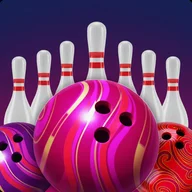
The game leans hard into a club-like neon aesthetic. Backgrounds shift between deep purple and dark burgundy gradients, pink and purple laser-like beams radiate from the center on the splash screen, and the ceiling above the lane is strung with dramatic neon strips. Bowling balls come in bright magenta, purple, red, and yellow — all with swirl patterns and highly reflective surfaces — and unlocking new styles and patterns for your balls is the main progression hook outside of competing for a championship title. The post-roll results screen shows a close-up of the pin deck with a translucent score bar reading something like "Knocked pins: 8," letting you instantly see which pins are still standing and plan your spare attempt.
Profile and navigation
Before stepping up to the lane, players set up a profile through a magenta modal overlay: a photo avatar, a name field, and a bright green confirm button. Navigation throughout is minimal — a pause button, a hamburger menu, and a back arrow — keeping the focus on gameplay rather than menus.
Where it's worth noting a limitation
The power meter communicates entirely through color (green, yellow, red) with no pattern, label, or texture alternative. For players who have difficulty distinguishing colors, this is a real functional gap. There are also no visible accessibility settings anywhere in the app — no high-contrast mode, no motion reduction for the heavy neon lighting effects, and no haptic or audio feedback options noted in the interface.
Strike Master is visually confident and mechanically lean — the two-tap structure makes it easy to pick up, but the same minimalism that keeps the UI clean also leaves the power meter readable only by color, which is a straightforward problem worth fixing.
A familiar rhythm in a different light
The split-second timing at the heart of Strike Master — watching a moving indicator and choosing exactly when to commit — echoes the stop-the-needle mechanics found in many classic arcade titles. If you've ever felt that suspended moment right before a slot reel locks in, or held your breath waiting to tap at the perfect position, Strike Master channels that same narrow window of decision. The neon palette and glossy 3D surfaces give it a distinctly modern arcade feel rather than a sports simulation one.
- Two-stage throw mechanic: lateral positioning followed by power meter timing
- Standard 10-pin setup with numerical pin-count feedback after each roll
- Unlockable ball styles and patterns
- Player profile with photo avatar and custom name
- 3D neon-lit bowling alley environment with purple, pink, and magenta color scheme
Game Technical Details
| Game Type | Mobile bowling simulator |
| Graphics | 3D rendered with glossy surfaces and neon lighting effects |
| Pin Setup | Standard 10-pin triangular formation |
| Gameplay Perspective | First-person bowling lane view |
| Control Mechanics | Two-step input: horizontal ball timing + power indicator stop |
| Ball Customization | Unlockable styles and patterns for bowling balls |
| Player Profile | Custom avatar and player name setup |
| Last Updated | Apr 9, 2026 |
Strike Master Explained
How does throwing the ball work in Strike Master?
How do I know how many pins I knocked down after each roll?
Can I customize my bowling ball in the game?
Do I need to create a profile before playing?
What does the power meter on the right side of the screen indicate?
Reviews
Log in to write a review