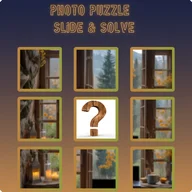
Photo Puzzle - Slide & Solve App
Be the first to reviewOn this page
Reviewed by
Ludis.app Team
Published
Apr 28, 2026
Updated
Apr 28, 2026
Photo Puzzle - Slide & Solve is a tile-sliding brain game for Android phones and tablets that runs entirely offline after the first launch. It welcomes a wide audience — kids, adults, and seniors alike — with three grid sizes and the freedom to use any image from your own gallery. The dark, purple-accented interface keeps things easy on the eyes whether you're squeezing in a quick session or settling in for a longer solve.
App in Action
How It Plays
At its core, Photo Puzzle works on a principle that hasn't changed since the classic 15-puzzle: a photo is chopped into tiles, scrambled across a grid, and your job is to restore the original image one tap at a time. What makes this version feel fresh is the personal element — you can load any photo from your gallery and turn a holiday snapshot, a festival greeting card, or a family portrait into a puzzle that only you have ever attempted.
Choosing Your Challenge
Six built-in HD images cover a solid range of subjects — Mountains, Ocean, Forest, City, Desert, and Galaxy — and are ready to play with no internet connection required. Difficulty is set by grid size:
- Easy — 3×3 grid (8 tiles)
- Medium — 4×4 grid (15 tiles)
- Hard — 5×5 grid (24 tiles)
Every shuffle is mathematically verified to be solvable, so you'll never hit a dead-end configuration. Green tile indicators show exactly which pieces have landed in the correct position, and a hint toggle overlays a faint ghost of the completed image when you're genuinely stuck. A move counter, live timer, and per-image best-score records give returning players something concrete to chase.
Feedback and Feel
Finishing a puzzle triggers a confetti explosion and a star rating — Good, Great, or better — alongside a "New Best Score" badge if you've beaten your previous time. The pause function preserves both your progress and the timer exactly, which matters on a game that can stretch to 24 tiles on the hardest setting. The dark navy and purple UI, smooth animations, and the satisfying snap of each correctly placed tile all contribute to a presentation that feels polished rather than thrown together.
The spatial logic required to plan several moves ahead on a 5×5 grid is genuinely demanding — but the lack of any alternative input beyond slide gestures means players who struggle with precise swipe controls have no fallback, and the small timer text may be hard to read for some users.
Pattern, Fragments, and the Pleasure of Assembly
There's something satisfying about working with an image that's personally meaningful — a Ram Navami greeting card, a mountain sunrise, a city skyline — and watching it reassemble piece by piece as you find each tile's correct slot. The fragmented nature of the grid, the way partial shapes and colors gradually cohere into a recognizable whole, taps into the same instinct that makes jigsaw puzzles rewarding: the moment a corner locks in, the next move becomes obvious, and momentum builds. That rhythm of recognition and resolution is what keeps the move counter climbing.
App Technical Details
| Platform | Android phones and tablets |
| Difficulty Levels | 3 levels: Easy (3×3, 8 tiles), Medium (4×4, 15 tiles), Hard (5×5, 24 tiles) |
| Built-in Images | 6 HD photos: Mountains, Ocean, Forest, City, Desert, Galaxy |
| Custom Photo Support | Any image from device gallery can be used as a puzzle |
| Internet Requirement | Completely offline after first launch |
| Advertisements | No ads |
| Shuffle Algorithm | Every shuffle is mathematically verified to be solvable |
| Last Updated | Apr 11, 2026 |
Game Help & Info
Can I use my own photos to create a puzzle?
What difficulty levels does the app offer?
What happens if I get stuck mid-puzzle?
Do I need an internet connection to play?
How does best score tracking work?
Reviews
Log in to write a review