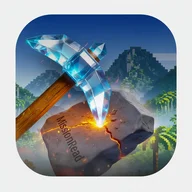
Mission Read Mine wraps reading comprehension training in a Minecraft-inspired shell — blue skies, voxel hills, floating grass-dirt blocks, and a diamond pickaxe icon that cracks stone on impact. The visual language isn't decoration for its own sake; it frames each exercise as a mission, each completed session as ore extracted from the ground. That framing holds up across the entire interface, from the brown-orange navigation bar at the bottom to the golden achievement badges waiting to be unlocked.
Eight ways to practice
The app offers a varied roster of exercise types, each tracked individually in the statistics dashboard:
- Scan Challenge — locating specific information quickly within a passage
- Deep Reading — careful, detail-oriented comprehension
- Search & Find — hunting for embedded facts inside longer texts
- Memory Test — recalling what was read after the passage disappears
- Error Hunt — identifying inconsistencies or mistakes in a text
- Speed Mission — reading accurately under a live countdown timer
- Compare Texts — spotting differences between two passages
- Vocabulary — word-level comprehension and meaning
- Focus Training — sustained attention through longer reading tasks
The game adapts to your mistakes over time, so recurring weak spots get more attention rather than being quietly buried by your stronger categories.
Stats that mean something
The statistics screen surfaces total score, games played, and average accuracy — displayed in the screenshots as 3,890 points, 10 games, and 85% accuracy respectively. A score trend bar chart shows progression across sessions, and a per-category breakdown lets you see exactly which exercise types are pulling your average up or down. Recent games are listed with both point totals and accuracy percentages side by side, which makes it easy to spot the difference between a high-scoring run and a genuinely accurate one.
Achievements and the mining world beneath the words
The block-world aesthetic runs deeper than the app icon. The main interface features a 3×3 crafting grid filled with emerald gems and TNT blocks, a grid-based inventory with diamond pickaxe tools, and floating 3D elements — grass blocks, crystalline pickaxes, white block-style ghost creatures drifting through the background. It shares the same tactile satisfaction of breaking blocks and collecting resources: each exercise completed chips away at something, and the reward — a golden badge, an unlocked achievement — carries visual weight. Twelve achievements are available in total, with specific unlock conditions such as scoring over 500 in Speed Mission or completing five exercises in a row.
The achievement system is functional and clearly labeled, though with only 12 total achievements and 4 shown as readily unlockable, long-term players may find the progression ceiling arrives sooner than expected.
All texts and exercises are available offline, and the app is built for iPhone with a consistent bottom navigation bar — Home, Stats, Achievements, Random, and Settings — that stays in place across every screen.