Un jeu de ferme en pixel art. Cultiver du blé, des carottes, vendre au marché. Rien de nouveau sous le soleil. La direction artistique est honnête — les couleurs sont vives, les sprites lisibles. Le joystick virtuel, en revanche, est à prouver : imprécis sur petit écran, frustrant dans les …
Dawn Valley App
3.00 (1 review)On this page
Reviewed by
Ludis.app Team
Published
Jun 8, 2026
Updated
Jun 8, 2026
Dawn Valley is a pixel art farming simulation game developed by Viseta, designed for players who enjoy relaxed, unhurried gameplay on mobile. Set in a cozy rural world rendered in retro-style visuals, it invites you to tend a growing farm, explore new land, and get to know the valley's quirky residents. Whether you have ten minutes or a few hours, the game's leisurely pace makes it easy to pick up and put down without losing your place in the world.
In-Game Screens
Inside the Valley
Dawn Valley places you in the role of a farmer arriving in a cheerful pixel art valley with plenty of open land and a lot of potential. The game's core loop revolves around growing crops — wheat, cabbage, tomatoes, carrots, and pumpkins — caring for animals like chickens, and selling what you produce at a market staffed by three distinct vendors, each with their own stall and striped awning. Beyond the farm itself, you can upgrade your tools, expand your home, and discover new plots of land as your resources grow.
Controls and Interface
The game uses a touch-based control scheme with a virtual orange joystick anchored in the bottom-right corner of the screen. A consistent HUD keeps your coin count, energy (shown as a heart), and an action indicator visible along the screen edges, so the play area stays uncluttered. Menus — including the seed inventory and shop — appear as semi-transparent brown overlay panels with scroll arrows and clearly labeled item rows, each showing an icon, a name, and a quantity at a glance.
Visual Style and Atmosphere
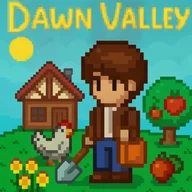
The art direction leans fully into its retro roots: a bright teal blue sky, vivid green fields, brown farmhouses with red rooftops, a yellow pixelated sun, and chunky character sprites that communicate personality through silhouette alone. The color palette is bold and warm throughout — the kind of screen that feels comfortable to look at for extended sessions. The world fills up with small details as you play: stone wells, apple trees, scattered flowers, pet companions, and collectible items that populate the field.
Worth Knowing Before You Play
The game's pixel art style does come with a few genuine trade-offs. Yellow title text on a teal background may not meet standard contrast requirements, and the small pixel-style text can be difficult to read on smaller screens with no apparent scaling option. The virtual joystick also requires a degree of precise touch control that could be limiting for some players. There is currently no colorblind mode, and the game relies heavily on color coding to distinguish crops, UI states, and health indicators — something worth keeping in mind if color differentiation is a concern.
Dawn Valley is at its most appealing when it isn't trying to do too much — the quieter moments of planting seeds, wandering a sunlit field, and browsing market stalls carry more charm than any feature list could suggest.
App Specifications
Developer
Viseta
Last Updated
Feb 12, 2026
Game Genre
Farming simulation
Art Style
Retro pixel art
Control Schemes
Touch screen and virtual joystick
Growable Crops
Wheat, Cabbage, Tomato, Carrot, Pumpkin
Market Vendor Stalls
3
Core Activities
Farming, trading, tool upgrades, home expansion
| Developer | Viseta |
| Last Updated | Feb 12, 2026 |
| Game Genre | Farming simulation |
| Art Style | Retro pixel art |
| Control Schemes | Touch screen and virtual joystick |
| Growable Crops | Wheat, Cabbage, Tomato, Carrot, Pumpkin |
| Market Vendor Stalls | 3 |
| Core Activities | Farming, trading, tool upgrades, home expansion |
Dawn Valley Game Guide
What crops can I grow in Dawn Valley?
Dawn Valley lets you grow a variety of crops including wheat, cabbage, tomatoes, carrots, and pumpkins. Seeds are managed through the in-game inventory menu, where each crop type is clearly labeled with its own icon and quantity.
How do I control my character in the game?
The game supports both touch and virtual joystick controls. An on-screen orange joystick in the bottom right corner handles character movement, while interactive elements on the farm are selected using a targeting indicator shown as white brackets around objects.
What can I do at the market?
The market features three vendor stalls, each run by a unique shopkeeper character and distinguished by different colored awnings. You can trade goods and spend coins earned through farming and other activities on the farm.
What can I upgrade or expand as I progress?
Dawn Valley lets you upgrade your tools, expand your home, and discover new plots of land as you develop your farm. Meeting the valley's inhabitants and participating in events also contributes to your overall farm progress.
Are there animals or creatures to interact with in Dawn Valley?
Yes, the game features animals such as chickens that roam your farm, as well as pet companions like a small pig-like creature that follows you around. The world is also filled with friendly creatures and various collectible characters scattered across different areas.
Reviews (1)
View allLog in to write a review
Log in with Telegram