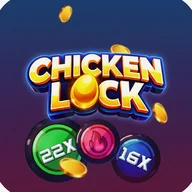
At its core, Chicken Luck is a road-crossing survival game. Your character — a white, cream-colored cartoon chicken sporting dark sunglasses — moves along a black asphalt road divided into five or six clearly marked lanes. The threat comes from waves of brown buffalo charging across those lanes, and your only job is to keep dodging them for as long as possible. The further you go, the higher your score climbs.
Controls and Gameplay Flow
Movement is handled through left and right directional arrows positioned in the lower corners of the screen, or via swipe gestures for lane changes. A timer-based start sequence kicks off each run, and a progress bar just below the score display tracks your momentum through each round. Collecting items — including eggs that appear as tappable objects — adds another layer to the action beyond pure obstacle avoidance.
- Constant forward movement keeps the tension high throughout every run
- Multiplier badges (displayed as colored circular indicators — green, blue) can influence scoring
- Score counter updates live at the top of the screen as you dodge each buffalo
Visual Style
The menus and transition screens lean heavily into a deep purple-to-magenta cosmic gradient, decorated with floating golden coins, glowing neon-style outlines, lens flares, and particle effects like star sparkles and floating feathers. The gameplay area itself is much cleaner — black road, white dashed lane lines, orange boundary markings — which keeps the chicken character and buffalo obstacles easy to read at a glance. The contrast between the flashy menus and the stripped-back gameplay screen is noticeable and deliberate.
Worth Knowing Before You Play
Chicken Luck's visual identity is bold, but it comes with trade-offs. The multiplier indicators rely entirely on color coding — green for one value, blue for another — with no additional shape or label to distinguish them. Players with color vision differences may find these elements harder to parse. Similarly, the control arrows are placed in the far corners of the screen and described as small, which could make them awkward to hit reliably during fast-paced sections. The game does not appear to offer adjustable speed settings or a pause option for timed elements.
Chicken Luck is best approached as a pure score-chasing exercise — the mechanic is tight, the visual feedback is immediate, but accessibility options are limited enough that some players will feel the friction before they feel the fun.