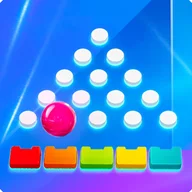
La verdad es que empecé a usar Balls Megadrop porque buscaba algo práctico para llevar el registro de mis entrenamientos de fuerza, y aquí viene el análisis honesto: la app hace lo que promete, pero con matices que hay que considerar antes de comprometerse con ella. Lo que más me …
Balls Megadrop App
3.00 (2 reviews)On this page
Reviewed by
Ludis.app Team
Published
May 28, 2026
Updated
May 28, 2026
Balls Megadrop is a strength training tracker built around minimalist design and precise workout logging. It's made for barbell lifters who want a clean, distraction-free space to record sessions, build custom exercises, and watch their numbers climb over time. The app sits somewhere between a workout journal and a personal performance database — structured enough to be reliable, simple enough to stay out of your way.
Inside the App
How It Works
Balls Megadrop approaches strength training with a philosophy of mathematical precision rather than motivational noise. The core loop is straightforward: create your barbell exercises, log working sets by capturing weight, reps, and sets, then review your history to keep progression on track. The onboarding screen lays this out as a clear three-step process, and the app never really deviates from that promise.
What the Interface Looks Like
The visual design runs on a dark purple background with white and green text — a palette that delivers solid readability and keeps the focus on your data. Session screens display exercises as cards showing the movement name, load breakdown (e.g., 60.0 kg × 5 reps × 3 sets), and a green total weight figure. A large Add set button spans the full width of the screen, and four bottom tabs — Exercises, Session, Progress, History — handle navigation. The exercise creation form includes fields for name, muscle group, type (Main or Accessory toggle), and optional notes for cues.
Progress Tracking
The Progress tab offers two chart types: Total Volume (weight × reps × sets per session) and Weight Progression (max weight per exercise over time). Charts remain hidden behind a data threshold — you need at least two logged sessions before anything renders. The app explains this clearly with placeholder messages, which is helpful, though new users may find the empty state frustrating before they've built any history.
Where the Aesthetic Gets Interesting
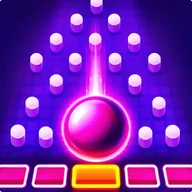
The app's deep purple interface shares more than coincidental DNA with a certain neon-drenched Plinko-style game world — the kind where glowing pink spheres drop through triangular peg fields and multiplier slots light up in orange and gold. That game runs on pure kinetic spectacle: multiple balls in simultaneous play, particle trails, x1000 jackpot slots blazing at center screen. Balls Megadrop occupies the opposite end of that spectrum — same color family, entirely different energy. Where one overwhelms, this one strips away everything except the number that matters: your total load moved today.
Honest Limitations
- Charts require a minimum of two sessions to display — the empty state, while clearly explained, offers nothing visual in the meantime
- No voice input or audio confirmation for logged sets
- Text size options for low vision users are not mentioned
The app reads like a tool built by someone who actually lifts — it knows what information you need mid-session and keeps everything else off the screen.
App Specifications
Developer
Charochka
Last Updated
May 20, 2026
Navigation Structure
4 tabs: Exercises, Session, Progress, History
Session Logging Fields
Weight (kg), repetitions, and number of sets per exercise
Progress Charts
Total Volume (weight × reps × sets per session) and Weight Progression (max weight per exercise over time)
Exercise Creation Fields
Exercise name, muscle group, type (Main or Accessory), optional notes
Interaction Model
Touch-based with ball physics simulation
UI Theme
Dark purple background with green accent elements
| Developer | Charochka |
| Last Updated | May 20, 2026 |
| Navigation Structure | 4 tabs: Exercises, Session, Progress, History |
| Session Logging Fields | Weight (kg), repetitions, and number of sets per exercise |
| Progress Charts | Total Volume (weight × reps × sets per session) and Weight Progression (max weight per exercise over time) |
| Exercise Creation Fields | Exercise name, muscle group, type (Main or Accessory), optional notes |
| Interaction Model | Touch-based with ball physics simulation |
| UI Theme | Dark purple background with green accent elements |
Training App Guide
How do I add a new exercise to the app?
You can create a custom exercise by entering its name, muscle group, and selecting a type — either Main or Accessory. There is also an optional Notes field where you can save personal tips or cues for that movement.
What details can I record for each workout set?
For each session, you can log the weight in kilograms, the number of reps, and the number of sets for every exercise. The app automatically calculates and displays the total weight lifted per exercise on the session screen.
How many sessions do I need before progress charts appear?
The Total Volume chart requires at least 2 logged sessions with sets before it becomes visible. The Weight Progression chart also needs the same exercise recorded in at least 2 separate sessions to display its data.
What main sections does the app navigation include?
The app offers four tabs in the bottom navigation bar: Exercises, Session, Progress, and History. These allow you to manage your exercise library, record today's workout, review progress charts, and browse past sessions.
Can I filter progress tracking to a single exercise?
Yes, the Weight Progression section lets you apply an exercise-specific filter — for example, back squat — to see how your maximum weight for that movement has evolved over time across sessions.
Reviews (2)
View allLog in to write a review
Log in with Telegram
Antrenman takip uygulaması olarak fena değil. Back squat, deadlift falan ekleyebiliyorsun. Set, kilo, tekrar — hepsi var. Ama premium özellikler olmadan yeterli mi? Bence sınırlı. Progress ekranı boş geliyor başta, en az 2 seans lazım grafik görmek için. Tasarım temiz, dark tema iyi. Value açısından orta seviye.